

Question
Clip Suppress or Suppress Loop
Creo 3: I have been having an issue with suppressing or clip suppressing instance features. I have a Generic Part and am changing dimensional values by using a Family Table. I open an instance and there is a feature that fails. I choose Clip/Suppress, the prompt to access (Yes/No) appears and I select Yes to continue. The same failed feature keeps repeating and I cannot get out of it. See below.
Feature 59 of an instance fails because I changed a dim. It is a surf to surf round.
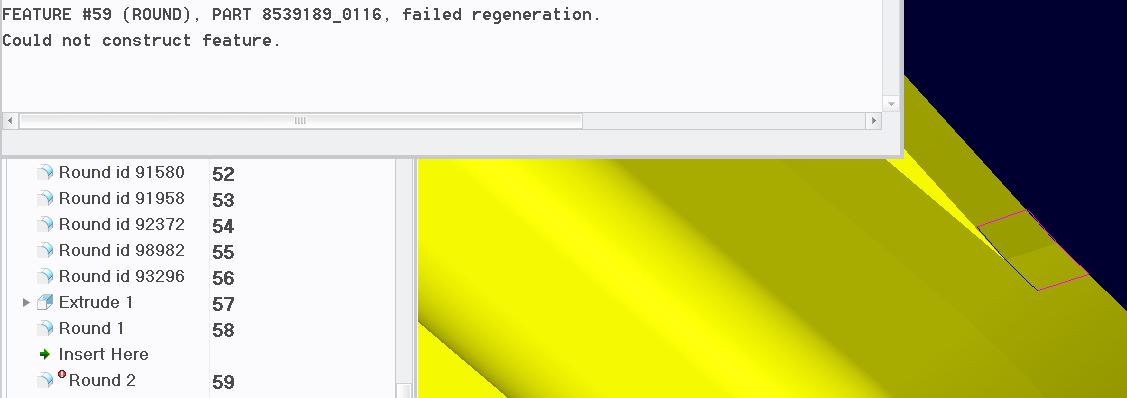
I select Quick Fix>Clip/Suppress, the prompt "Yes/No" appears and I select "Yes". Creo loops and displays Feature 59 failed. It is a never ending loop. I have not been able to find a solution.
This thread is inactive and closed by the PTC Community Management Team. If you would like to provide a reply and re-open this thread, please notify the moderator and reference the thread. You may also use "Start a topic" button to ask a new question. Please be sure to include what version of the PTC product you are using so another community member knowledgeable about your version may be able to assist.