
1-Visitor
November 1, 2012
Question

Cosmetic threads in Creo 2

  • November 1, 2012
  • 6 replies
  • 14206 views

Hi.

I've searched but can't really find what I am looking for.

I'm having difficulties showing threads correctly on the drawing. Here are some screen captures to show what my issues are.

Here is what the cosmetic thread looks like on the model.

model_thread.PNG

Here is what the cosmetic thread looks like on the drawing.
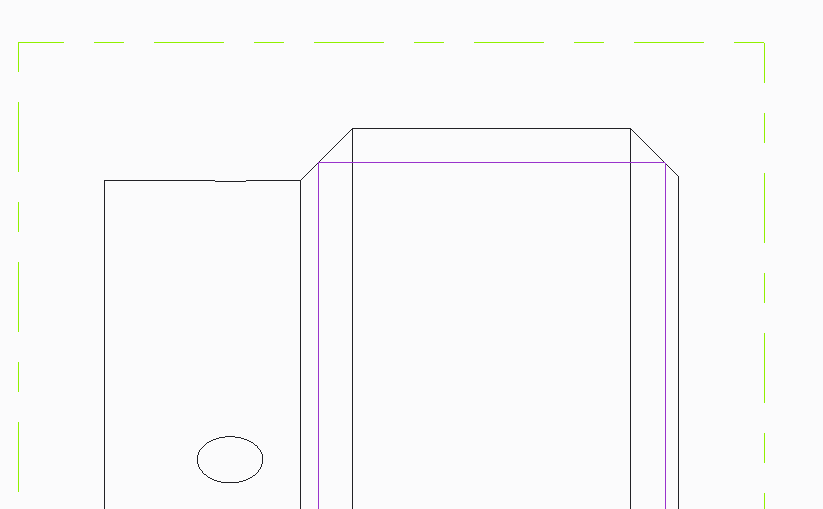
thread.PNG

And here is what the .pdf file looks like when generated.
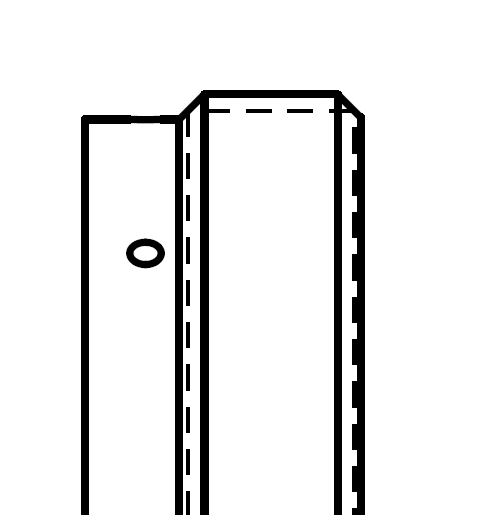
drawing_thread.PNG

I do not want the vertical lines of the cosmetic threads to display. Is there a way to get rid of them or am I doing something wrong?

Thanks,

Jason


This thread is inactive and closed by the PTC Community Management Team. If you would like to provide a reply and re-open this thread, please notify the moderator and reference the thread. You may also use "Start a topic" button to ask a new question. Please be sure to include what version of the PTC product you are using so another community member knowledgeable about your version may be able to assist.

6 replies

16-Pearl
November 2, 2012

Make a cross section?

1.jpg

jmayer1-VisitorAuthor
1-Visitor
November 2, 2012

Here is what my section looks like.

Are there config options that I can change?threads_section.PNG

Thanks,

Jason

Dale_Rosema
23-Emerald III
23-Emerald III
November 8, 2012

I have threads on a part that are going through all. But when I bring the view into the drawing, the threads don't stop at the part, but continue on into space. Can someone help me figure out how to have this stop at the part's edge? Thanks, Dale

1-Visitor
November 12, 2012

Does the hidden line removal for quilts option still exist in Creo 2.0 ? (I'm using WF5)

If so, it could help you (View properties>View display>Hidden line removal for quilts)

13-Aquamarine
February 11, 2014

Surely after all these releases, now we are at the "Creo Revolution" a standard engineering feature like this should be handled correctly and should display properly in drawings.

PTC's failure to sort the countless deficiencies such as this is simply not good enough. I am seriously questioning my reasons for staying with Creo.

Patriot_1776
22-Sapphire II
February 11, 2014

MIGHT be able to erase the line under the layout tab, under line style. Why though? The line DOES exist because it's the start of the thd. Yes, it's not like doing it old school on the drafting board, but to me it's not a huge deal to see things like that on a dwg. I have my tangency lines set to phantom in most cases in dwg views, which is definately not old school, but I think adds to underestanding the organiclly sculpted shapes we have today.

Best of luck.

14-Alexandrite
February 11, 2014

Or depending on the end use, just cut the real helix on there. I know, not the fastest solution.

10-Marble
April 28, 2015

PTC has been doing this for 35 years or so now. And we still have to deal with this crap?! Absolutely amazing! We are the idiots because we keep giving them money. In return we get endless frustration and poor productivity.

1-Visitor
April 28, 2015

I don't think you can turn the vertical lines off. I just leave them alone. Annoying as it is.