1-Visitor
March 25, 2016
Solved

Cosmetic tread

  • March 25, 2016
  • 20 replies
  • 7808 views

Hello,

I wonder how to make cosmetic thread larger that M68 - M100x2 for instance. According to ISO standard M68 is the largest thread thawas defined in Creo Parametric 2.0

Can you give me some guidelines?

Best Regards


This thread is inactive and closed by the PTC Community Management Team. If you would like to provide a reply and re-open this thread, please notify the moderator and reference the thread. You may also use "Start a topic" button to ask a new question. Please be sure to include what version of the PTC product you are using so another community member knowledgeable about your version may be able to assist.
Best answer by jwarncke

Hello,

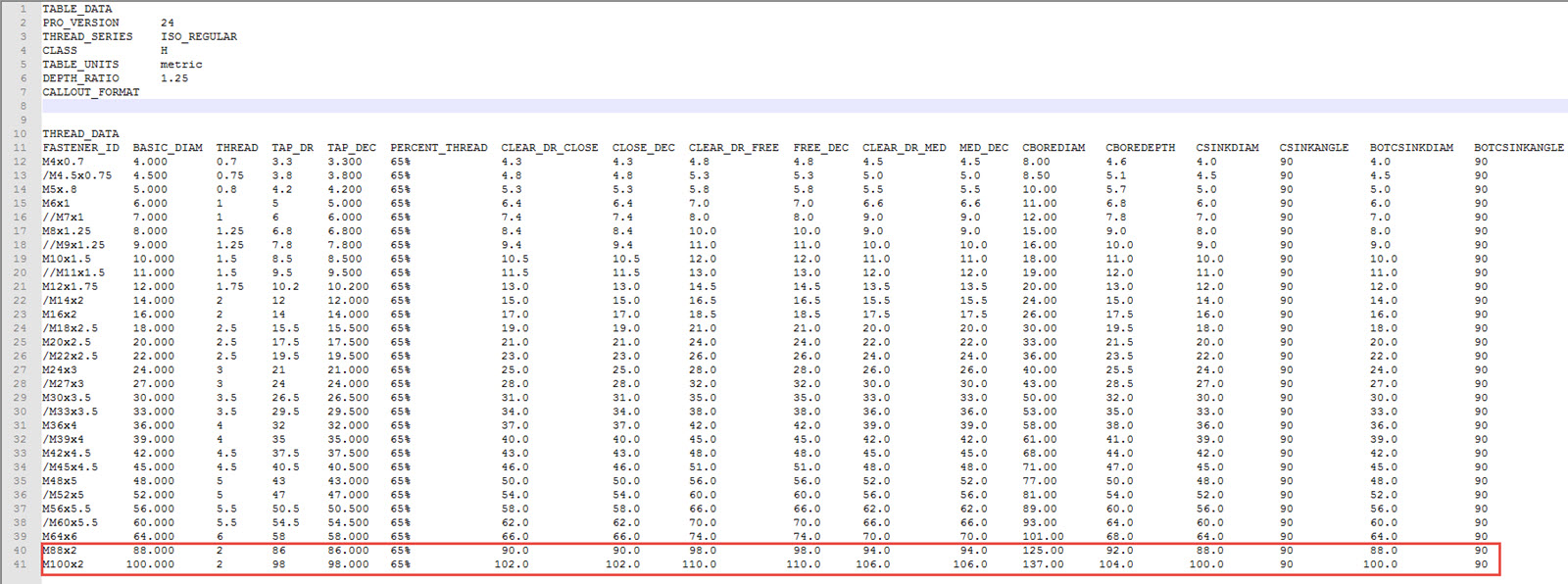
i have had some problems regarding this specific issue. I think the ISO hole table provided by PTC is much to detailed when is comes to odd diameters and pitch of threads. When trying to find the correct thread i need i have to scroll a lot in the drop down menu. So the solution for me was to make my own hole table, which i call ISO_REGULAR. Here i only show the data of threads i use the most. I just added a M88x2 and M100x2 to test it. They are marked by red below. The hole table file is placed, on my installation, at: .....\Creo 2.0\Common Files\M120\text\hole

hole table.jpg

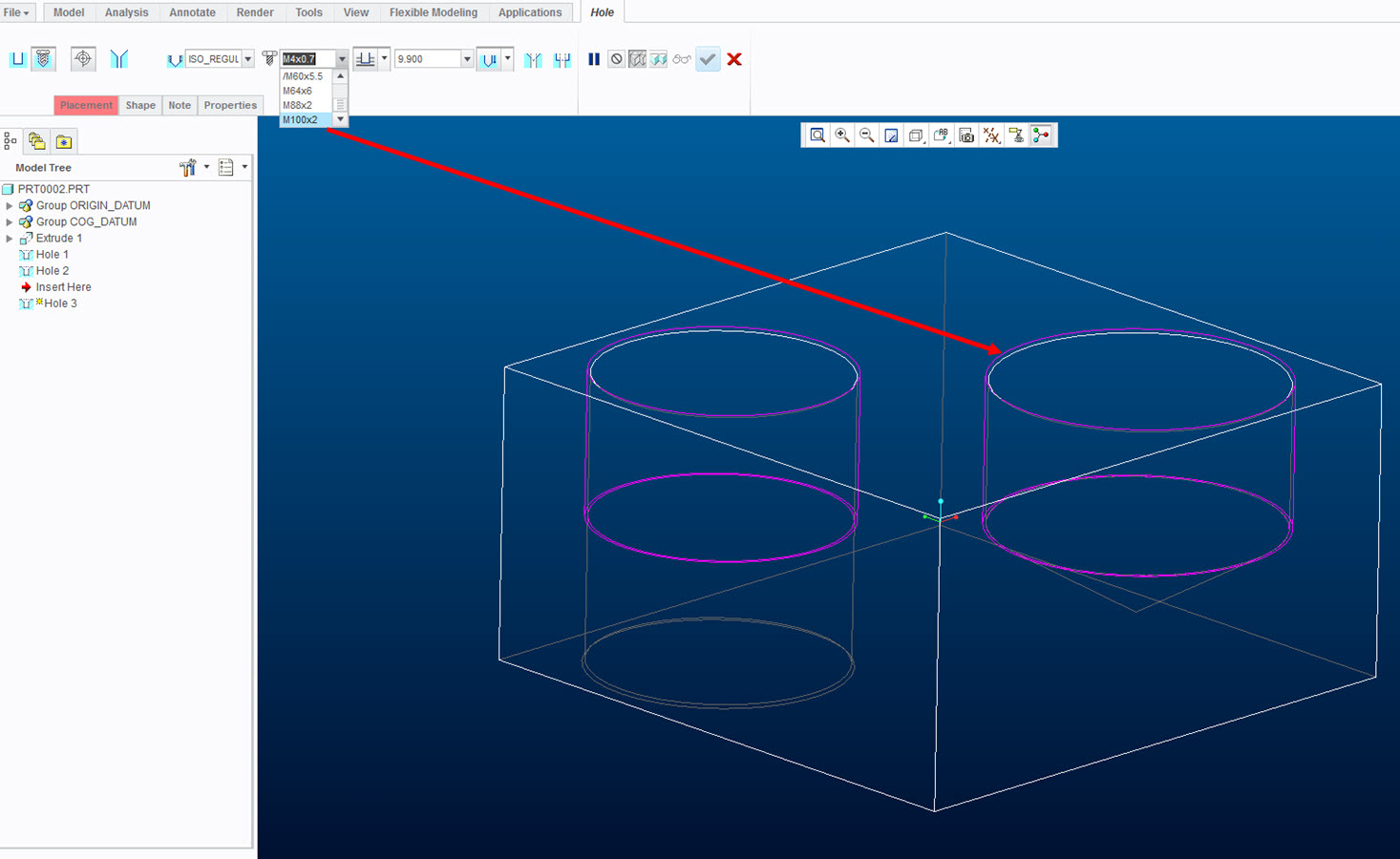
When using the hole feature i select the hole table name "ISO_REGULAR" and scroll to the right thread type. See below.

hole feature.jpg

Hope the above helps.

Regards

20 replies

jwarncke12-AmethystAnswer
12-Amethyst
March 29, 2016

Hello,

i have had some problems regarding this specific issue. I think the ISO hole table provided by PTC is much to detailed when is comes to odd diameters and pitch of threads. When trying to find the correct thread i need i have to scroll a lot in the drop down menu. So the solution for me was to make my own hole table, which i call ISO_REGULAR. Here i only show the data of threads i use the most. I just added a M88x2 and M100x2 to test it. They are marked by red below. The hole table file is placed, on my installation, at: .....\Creo 2.0\Common Files\M120\text\hole

hole table.jpg

When using the hole feature i select the hole table name "ISO_REGULAR" and scroll to the right thread type. See below.

hole feature.jpg

Hope the above helps.

Regards

2-Explorer
March 29, 2016

l like your solution Jakob Warncke .

Think it´s correct answer.