
1-Visitor
July 1, 2014
Solved

cotation of holes

  • July 1, 2014
  • 3 replies
  • 1527 views

Hello,


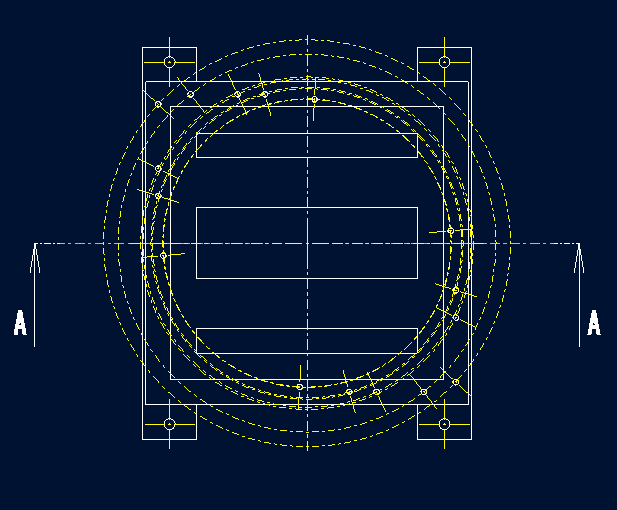
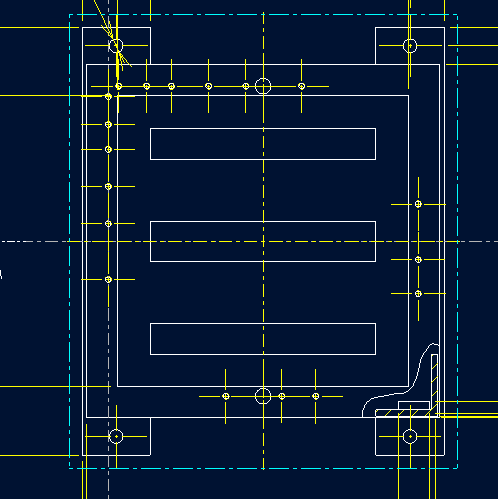
I have a problem with cotation of holes made by a group pattern around axis.


I would need to use linear cotation of those holes but after the pattern is done it will switch to radial cotation.
1.PNG

2.PNG


This thread is inactive and closed by the PTC Community Management Team. If you would like to provide a reply and re-open this thread, please notify the moderator and reference the thread. You may also use "Start a topic" button to ask a new question. Please be sure to include what version of the PTC product you are using so another community member knowledgeable about your version may be able to assist.
Best answer by TomD.inPDX

There is a switch in <detail>.dtl that creates the radial axis pattern.

radial_pattern_axis_circle *NO/YES

I am not sure this is a live switch. You have to play with that. It lets you create radial patterns when a hole is patterned axially. By default this is NO, so it is set in a config file somewhere.

3 replies

24-Ruby III
July 1, 2014

Tomas,

I think that nobody understand you because you are using the word cotation (tipuji, že česky je to kótování). Maybe dimensioning scheme is the right word .

Also dimensions are missing on you pictures. Therefore nobody knows, what do you want to get.

Martin Hanak

17-Peridot
July 1, 2014

There is a switch in <detail>.dtl that creates the radial axis pattern.

radial_pattern_axis_circle *NO/YES

I am not sure this is a live switch. You have to play with that. It lets you create radial patterns when a hole is patterned axially. By default this is NO, so it is set in a config file somewhere.

1-Visitor
July 2, 2014

it seems somebody understood very well.

Thank you very much....