
1-Visitor
September 17, 2013
Question

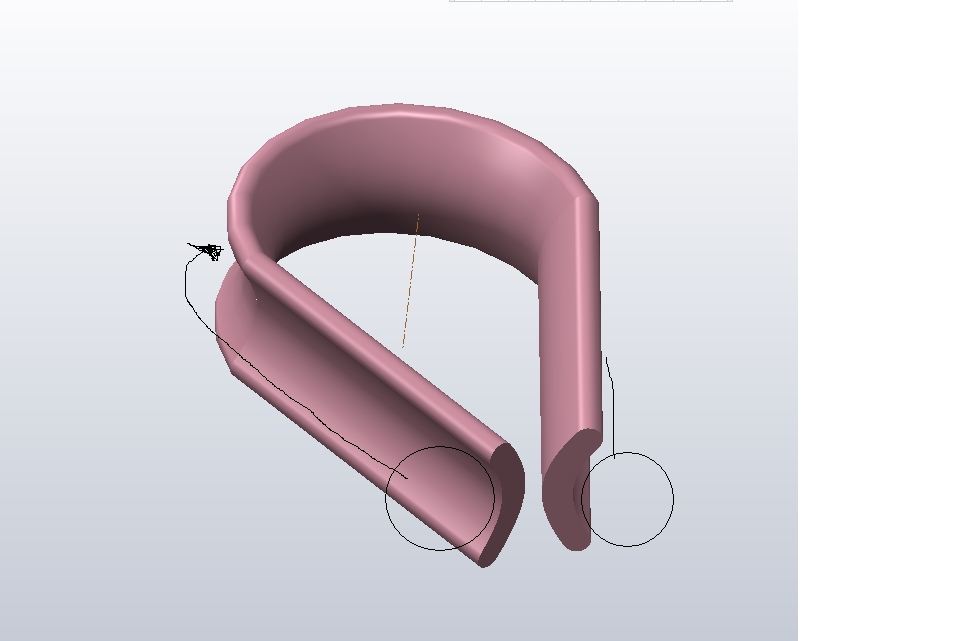
Create a cable around a cringle
  • September 17, 2013
  • 1 reply
  • 1130 views

Cringle.JPG

I've modeled a cringle and now I want to create a cable around it, can I use the outer dimensions in someway to make sure it fits?


This thread is inactive and closed by the PTC Community Management Team. If you would like to provide a reply and re-open this thread, please notify the moderator and reference the thread. You may also use "Start a topic" button to ask a new question. Please be sure to include what version of the PTC product you are using so another community member knowledgeable about your version may be able to assist.

1 reply

1-Visitor
October 3, 2013

I would create a workplane on a planar face on one end of the cringle. Then I would create a circle on that workplane to represent the cable and use the Pull command to pull it the length of that straight segment. I would then use Pull Face Angular to pull it around the curved section, and Pull Face Linear along the last straight segment.

pull_example.JPG

One issue with this approach might be if your straight sections are not tangent to your curved section. It will still work in that situation, but you may not get a toroidal shape.