1-Visitor
May 13, 2014
Solved

Create Surface Constraints

  • May 13, 2014
  • 2 replies
  • 1943 views

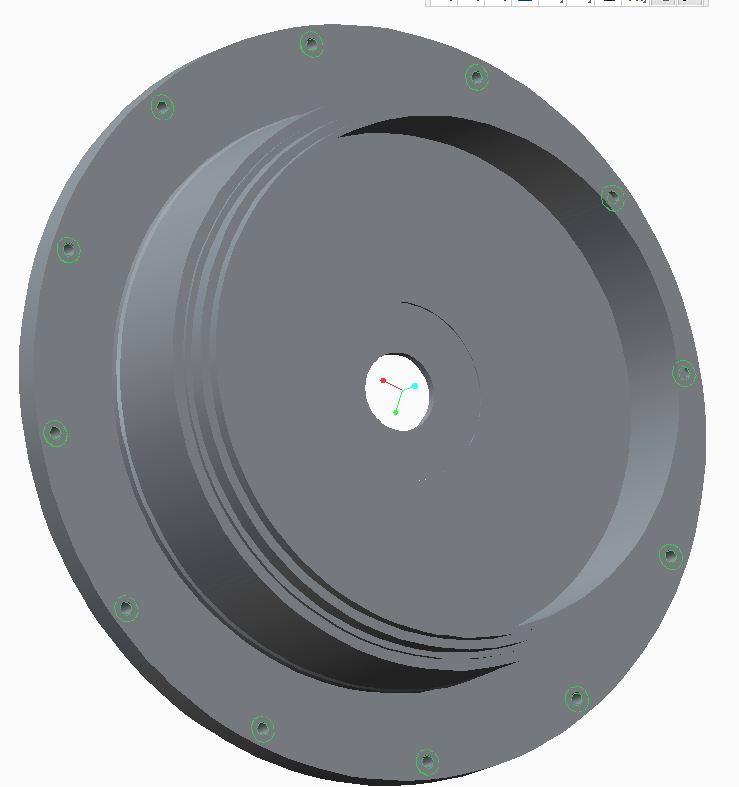
I have a flange with 12 holes dia .112" on it. I want to constrain only 2xD surface under the flang without adding any additional features. How's That possible sadasdasdasdasdas.JPG
Best answer by cnajafi

I figured how to do it. I needed to constraint the a surface with area of 2 times bigger than thru holes without adding any feature to it (adding or removing material) as you can see in the picture. The solution is to create an extrude as surface style and not solid. it is important to consider end cap for feature and the surface of that cap be flush with the surface of the flange. if somebody needs to more info let me know so I can post explain better with some screen shots.

Tnkx

2 replies

12-Amethyst
May 13, 2014

not sure what your asking what is your end goal?

Dale_Rosema
23-Emerald III
May 13, 2014

Are you asking for the flange thickness to be two times the diameter of your 12 holes?

Thanks, Dale

cnajafi1-VisitorAuthorAnswer
1-Visitor
May 13, 2014

I figured how to do it. I needed to constraint the a surface with area of 2 times bigger than thru holes without adding any feature to it (adding or removing material) as you can see in the picture. The solution is to create an extrude as surface style and not solid. it is important to consider end cap for feature and the surface of that cap be flush with the surface of the flange. if somebody needs to more info let me know so I can post explain better with some screen shots.

Tnkx

1-Visitor
May 14, 2014

Hello Camron,

thanks for getting back to the thread after solving the problem!

I believe I understand:

  • You needed a specific reference, but didn't want to add/remove material.
  • And you solved it by adding a surface feature instead of a solid feature

I am specifying your own post as Correct answer, to mark this thread as "Answered"

Gunter
