

Solved
Creating angled weld part
Hello!
I am trying to create a weld part(no weld feature) the problem in it is, it has a different profile and angled guidance line so need an easy way to create it...Does anybody have any idea?
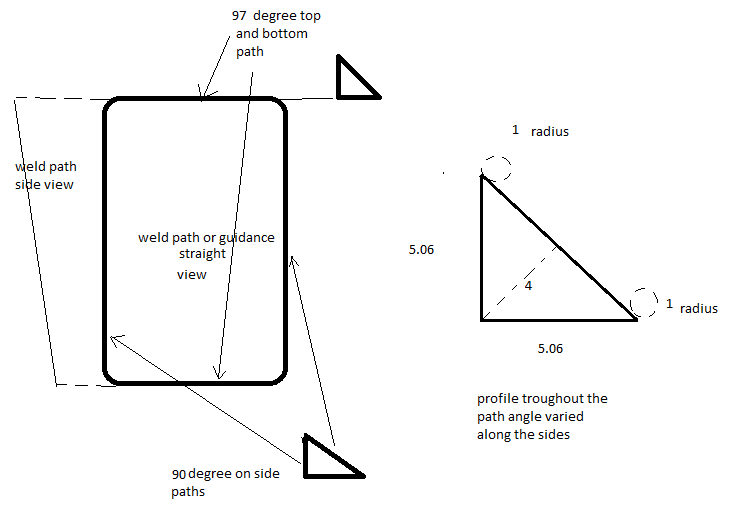 all dimensions are in mm
it can be done in swept blend with 8 points different sketch. Is there any other way to make it easy especially the radius (not round) at the corner is not easy...
If anything is not understood then please let me know...
Thank you.
This thread is inactive and closed by the PTC Community Management Team. If you would like to provide a reply and re-open this thread, please notify the moderator and reference the thread. You may also use "Start a topic" button to ask a new question. Please be sure to include what version of the PTC product you are using so another community member knowledgeable about your version may be able to assist.