
14-Alexandrite
August 14, 2023
Solved

Creating cross sections

  • August 14, 2023
  • 2 replies
  • 1672 views

I am trying to replicate this drawing of a solidworks model from their model mania. (https://blogs.solidworks.com/tech/wp-content/uploads/sites/4/Model-Mania-2004-Phase-1.jpg)
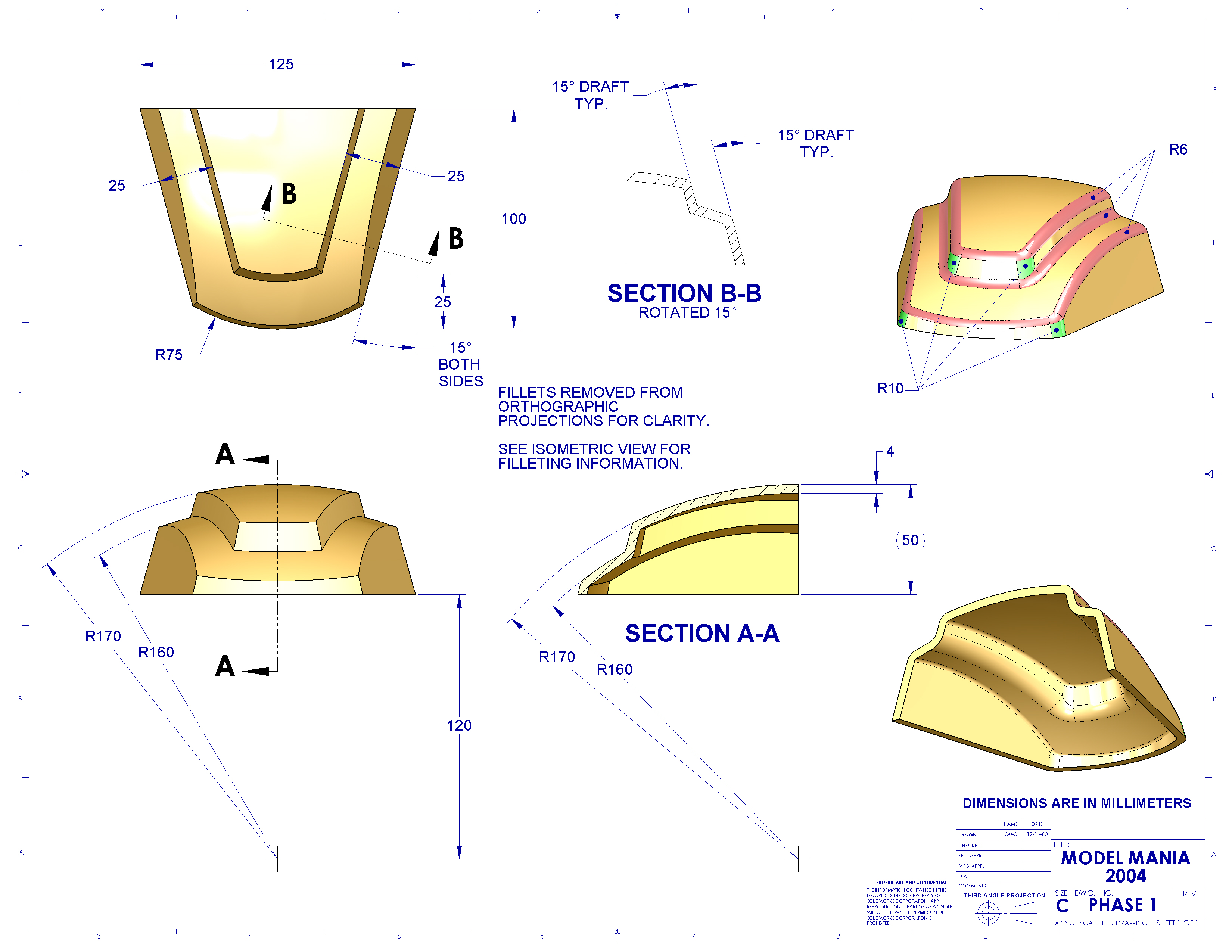
I am having trouble recreating section B-B in my own drawing, the closest I have come to this is below.
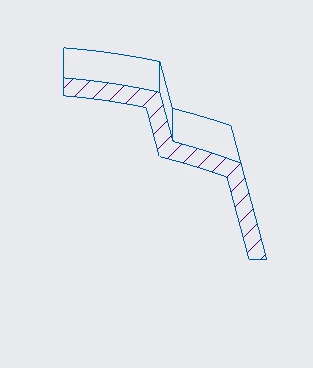
IbrahimTayyab_0-1691980458363.png

I have tried using zones and dabbled in full aligned/unfold cross sections but I am unable to figure how to do it. Help would be greatly appreciated.


I am using creo parametric 9.0 student version.
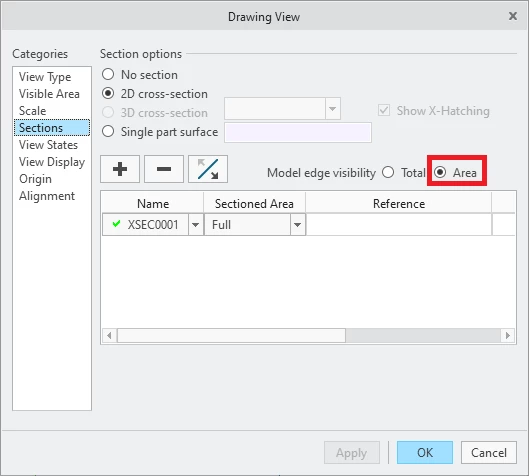
Best answer by MartinHanak

Hi,

set Area option.

MartinHanak_0-1691996731421.png


2 replies

tbraxton
22-Sapphire II
22-Sapphire II
August 14, 2023

Create a datum point, then an axis and then a plane through the axis. You can then create a planar section replicating B-B as shown.


Create the point on the edge as shown by the red X, then create an axis through the point normal to the edge of the part as shown by the line. You can then make a datum plane through the axis normal to the flat bottom of the part. This will yield planar section B-B of the reference drawing.


tbraxton_0-1691988443988.png


14-Alexandrite
August 14, 2023

I was able to make the planar section, what I was struggling with was the geometry/features other than the cross-section being shown; turns out I needed to turn on model edge visibility to area as Martin pointed out. Thank you for the method of creating the plane, I was using a convoluted way to make them, your method is much more simpler.

24-Ruby III
August 14, 2023

Hi,

set Area option.

MartinHanak_0-1691996731421.png


14-Alexandrite
August 14, 2023

Thanks a lot, I was wracking my brain and couldn't figure out how they did it; In hindsight it was right before my eyes 😅.