

Creo 3.0 Appearances Broken?
While there have been a lot of improvements in the realtime rendering of appearances in Creo 3.0, some of the functionality has been completely broken.
Just talking about the generic appearance:
- Ambient slider no longer has any effect. It should control how much even lighting is applied to the base color
- Highlight slider no longer has any effect. It should control how much of a highlight appears on the surface from the light sources other than the environmental lighting. however this is not tied up with the reflection slider.
- Reflection slider should only effect the reflectivity of the environment or room onto the model, however it now also controls the amount of highlight from the light sources.
- If there is any consideration of making the general shader better - there should be a reflection glossiness factor which could blur the reflection but without connecting it with the highlight parameter.
The general shader should give the most flexibility and control over how the appearance looks. you should be able to achieve any, even non-realistic looks, with the general shader to give full artistic freedom (my concern is that a coder is somewhere thinking, "hey lets make these parameters work as they would in a physical lighting model" - this only makes sense once the shading model has achieved nearly perfect representation of real materials. However one might argue that even still there is reason for using unrealistic shading models to represent the surfaces.
My biggest problem with the changes is that I do not care if the surface rendering is realistic. I only care if I can read the surfaces, and diagnose surface imperfections. The realtime rendering in Creo 2.0 was excellent for this purpose, and I was able to achieve a high level of surface legibility with the realtime rendering. However since Creo 3.0 I have not been able to get the same quality due to the change in how highlight and reflection and ambient parameters have been chagned.
Hopefully this is just a bug - but if it is not, I REALLY hope someone from PTC - and my peers - care enough to make some noise and get this fixed.
I have noticed there are other appearance classes that have the same problem - that is sliders that have no effect on the appearance. Perhaps it is just a bug.
here are a few images to show what I'm talking about.
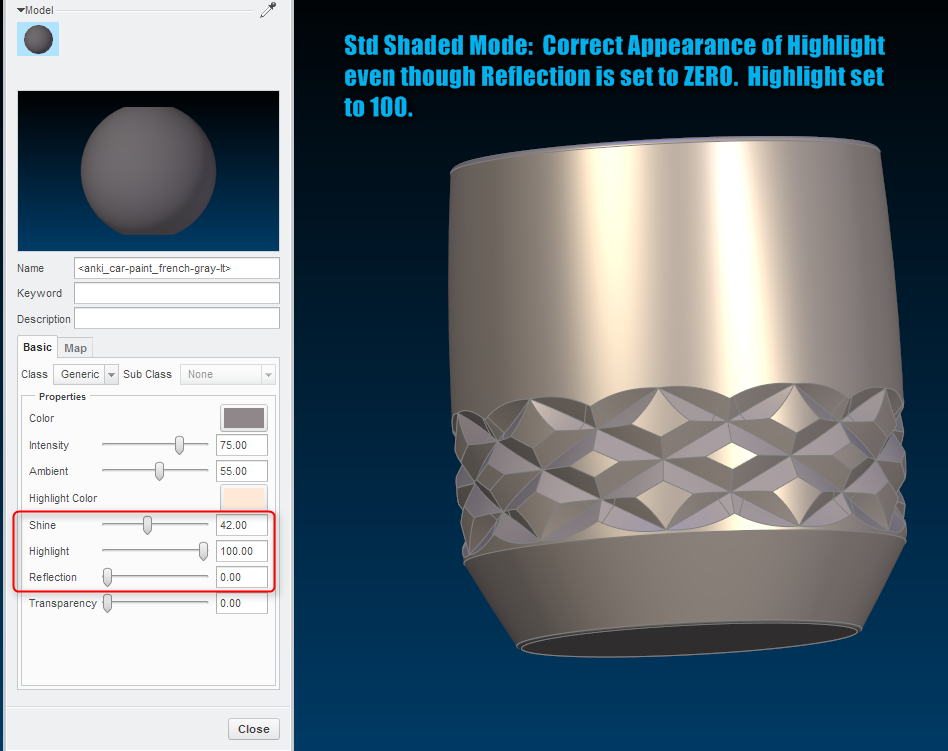
Standard Shaded mode - to show what the "highlight" should be. There would be no reflection in this mode since it is not realtime rendering... even if reflection was set to 100, it would still have no reflection in standard shaded mode.
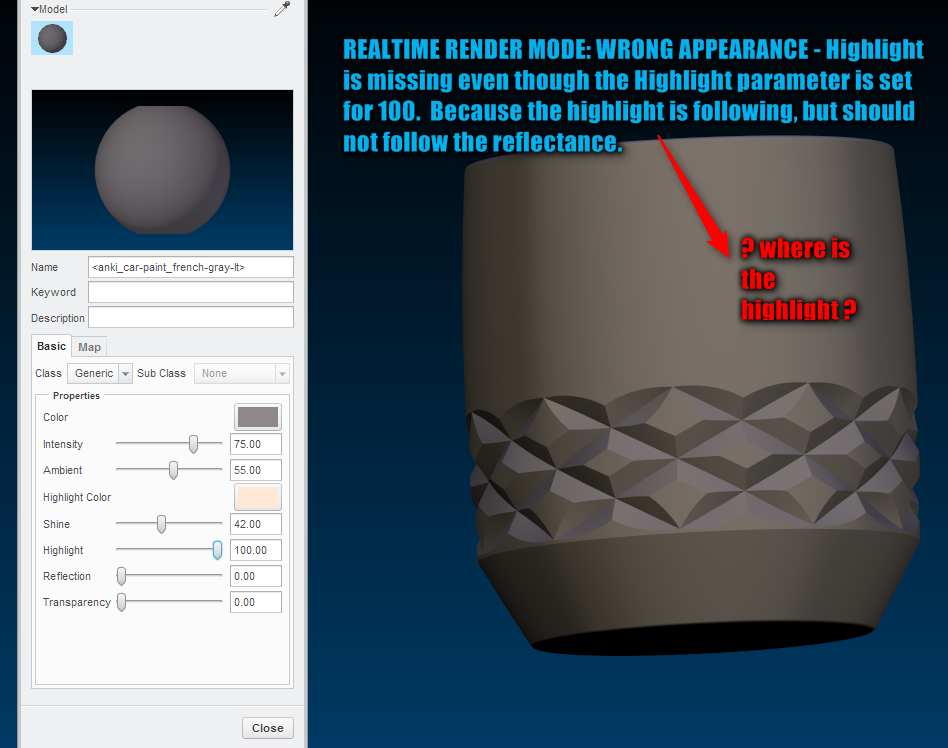
realtime render mode: the way this is set up the appearance should be IDENTICAL to standard shaded mode, because the non-photoreal lights would still create highlights, and reflection is set to zero so there shouldn't be a reflection anyway.
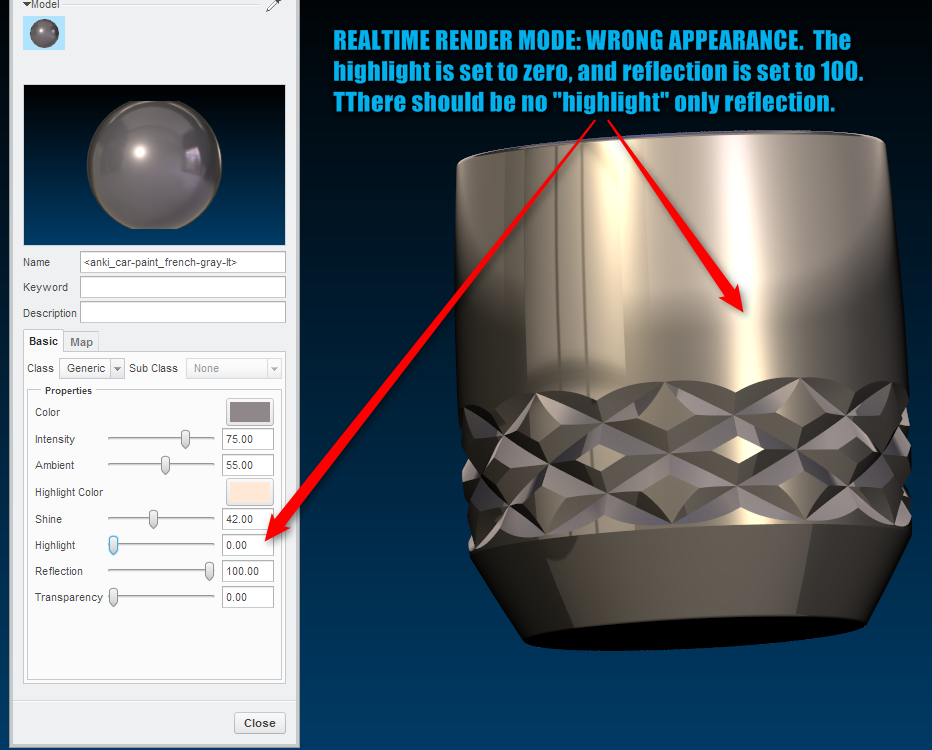
This is set up and would be correct if highlight was set to 100 and reflection to 100, but highlight is set to zero yet the highlight still shows up. 90% of my good surface reading shaders you a high level highlight, low shine, and very little or no reflection. really hope this is a bug.
This thread is inactive and closed by the PTC Community Management Team. If you would like to provide a reply and re-open this thread, please notify the moderator and reference the thread. You may also use "Start a topic" button to ask a new question. Please be sure to include what version of the PTC product you are using so another community member knowledgeable about your version may be able to assist.