1-Visitor
November 6, 2017
Solved

CREO 3.0 Axis not shown when view select

  • November 6, 2017
  • 4 replies
  • 2635 views

Hi all users


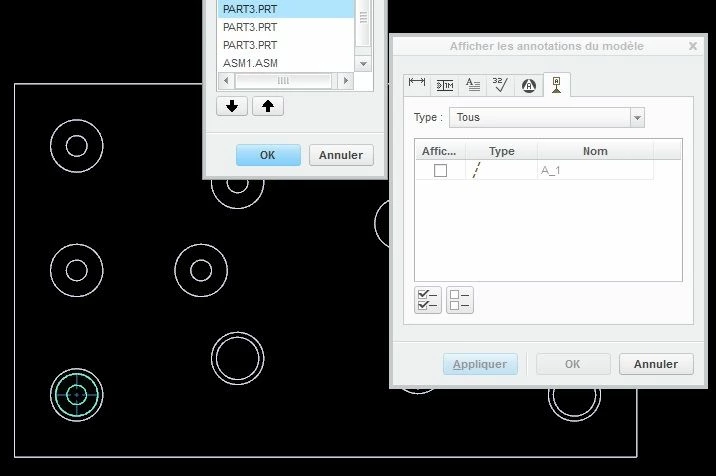
Why, whith the new version of CREO3.0, when you select a view (in a drwaing), it's not possible to show all the axis of this view ?

The only possibility we have found it's to select each component (part only, not assy).
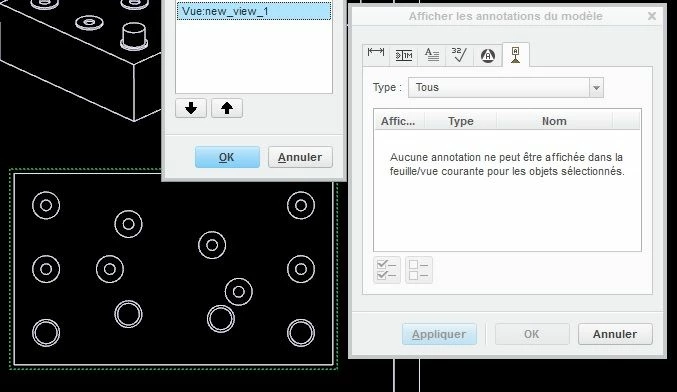
 

Sans titre.jpgSans titre1.jpg

Best answer by Mahesh_Sharma

Set config option show_axes_by_view_scope to all_sub_models, it will help you. 

4 replies

StephenW
23-Emerald III
November 6, 2017

PTC changed the show functionality when selecting by view of asemblies. There are times if you show dimensions or axis by view it would take a long time (large assembly).

If i'm not mistaken, it now only shows the top level axis when selecting by view (of an assembly).

Mahesh_Sharma
22-Sapphire I
November 6, 2017

Set config option show_axes_by_view_scope to all_sub_models, it will help you. 

ldrutel1-VisitorAuthor
1-Visitor
November 6, 2017

Amazing !!

Thank you KSM

Mahesh_Sharma
22-Sapphire I
November 6, 2017

If this solved your issue, mark the port as resolved.