13-Aquamarine
March 30, 2018
Solved

Creo 4 + Dimension Issue - arrowhead hides feature that you need to select

  • March 30, 2018
  • 2 replies
  • 2286 views

Dimensioning issue:
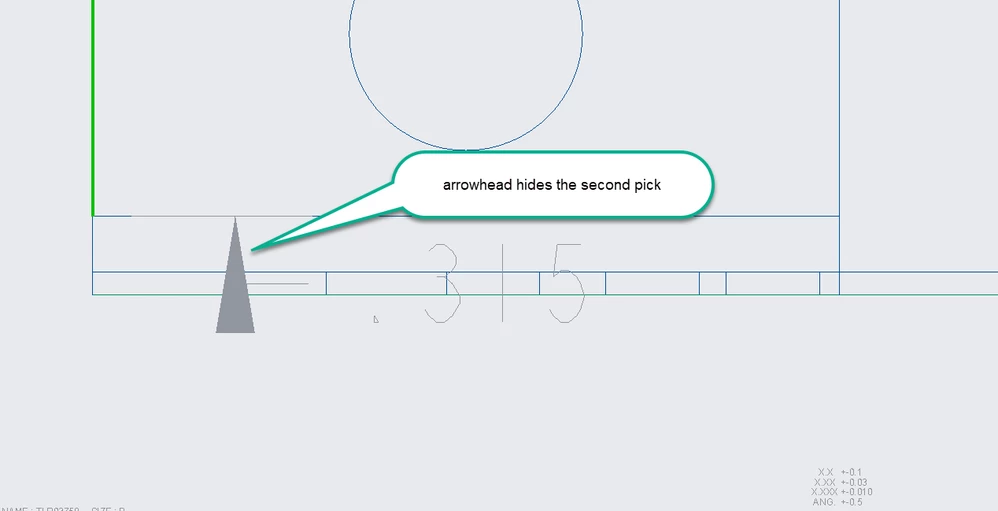
Is there a technique or option that can be applied to prevent an arrowhead from hiding the second pick on small features.

Below pics are for reference only how arrow head hides a small feature.
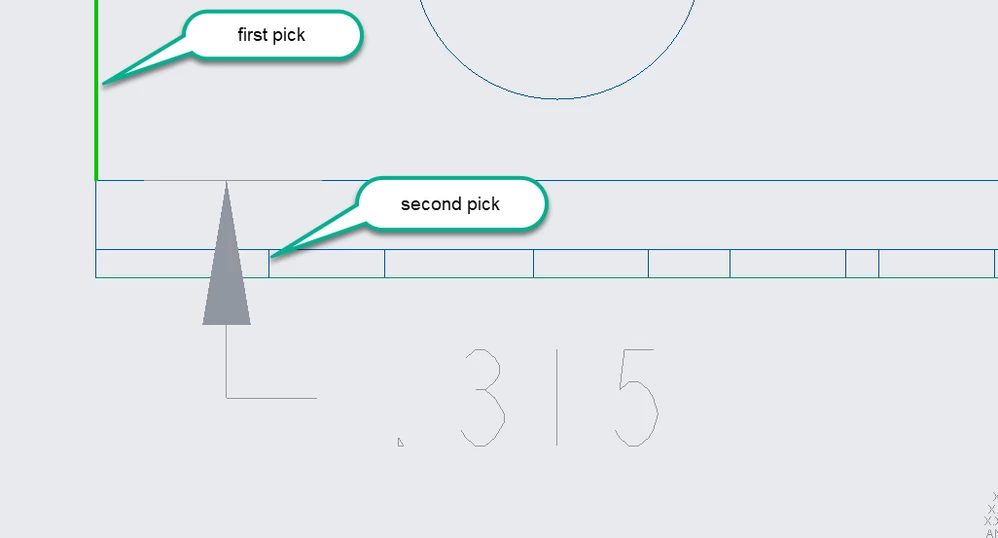
second.png


first.png


Best answer by Mahesh_Sharma

You can use config option suppress_dim_ghost_with_ctrl with value as yes. Setting this option will suppress the dim preview on using CTRL. 


2 replies

Mahesh_Sharma
22-Sapphire I
March 30, 2018

You can use config option suppress_dim_ghost_with_ctrl with value as yes. Setting this option will suppress the dim preview on using CTRL. 


tcusumano13-AquamarineAuthor
13-Aquamarine
March 30, 2018

That does the trick, was exactly what I was looking for.


Thanks, Ted

tcusumano13-AquamarineAuthor
13-Aquamarine
March 30, 2018

Here is another example where the floating dimension hides the second pick again. Would it not be a better solution if PTC delayed the display of the dimension?


third.png