1-Visitor
December 22, 2011
Solved

Creo Express Shell Quickstart - I can't get it to Suppres the bosses

  • December 22, 2011
  • 7 replies
  • 5067 views

I'm working on the shell portion of the quickstart block, but I can't seem to get this to work. I followed the video but after choosing all the bosses and then click end, then preview, I still see the same thing. Am I doing it wrong or is there a bug? I try to follow the view bits a time so I can do the same steps, but I'm just not having any luck. Any ideas/feedback?


This thread is inactive and closed by the PTC Community Management Team. If you would like to provide a reply and re-open this thread, please notify the moderator and reference the thread. You may also use "Start a topic" button to ask a new question. Please be sure to include what version of the PTC product you are using so another community member knowledgeable about your version may be able to assist.
Best answer by hkramer

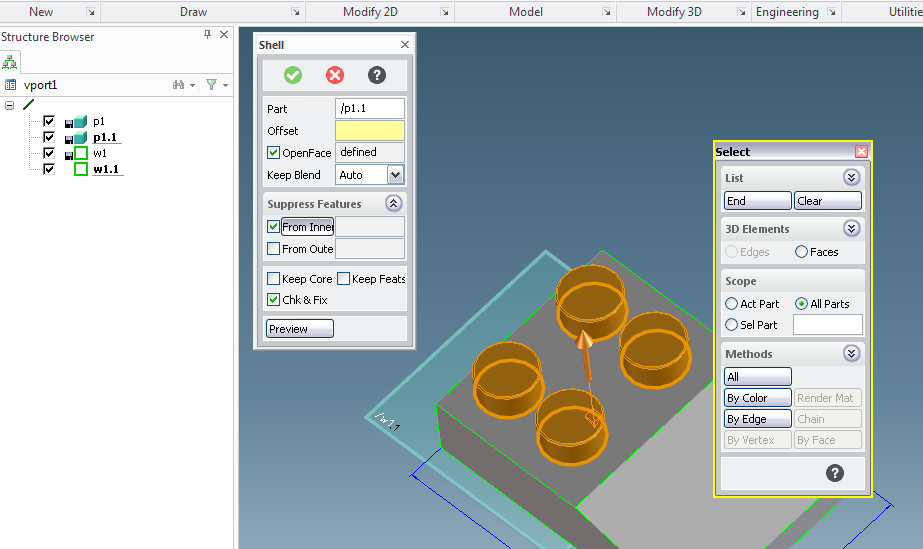
You need to use the Suppress Feature option

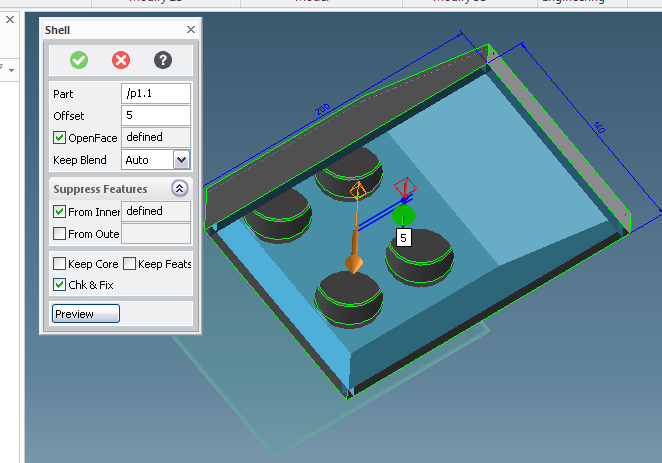
Click on the "From Inner" button - the select tool will open. Select all faces of this feature (simply by a box for example or one by the other)

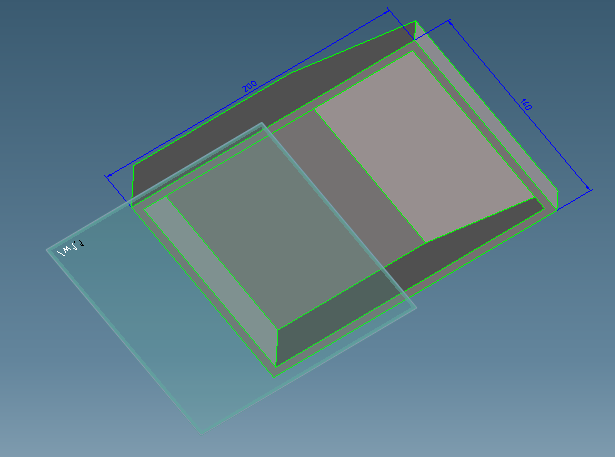
Then those faces will be suppressed. see attached imagesresult0.png

result1.png

result2.png

7 replies

1-Visitor
December 23, 2011

it might be helpful for other users if you upload the part (pk2) before and after you used the shell command.

And please highlight the face you have selected as OPEN FACE. If it really looks identical before and after you might check which face you have selected as open face.

Jaime1-VisitorAuthor
1-Visitor
December 23, 2011

Okay, here's what I got so far...and I also just uploaded the video of what I did. The first part of the video was my mistake so that's why I redid it again.

http://www.youtube.com/watch?v=I4fPlBb3UJA

hkramer1-VisitorAnswer
1-Visitor
December 29, 2011

You need to use the Suppress Feature option

Click on the "From Inner" button - the select tool will open. Select all faces of this feature (simply by a box for example or one by the other)

Then those faces will be suppressed. see attached imagesresult0.png

result1.png

result2.png