

(Creo12) DXF Export from Drawing - Sketched outline turns into blurry image
Hello everyone,
I am working with Creo Parametric 12.4.2.0 and I want to export a .dxf file from a drawing, using:
File > Save as > Export > DXF
I usually use a sketch or a solid from a .prt file and place it in my drawing to do so. This works perfectly fine in Creo 3 and 6.
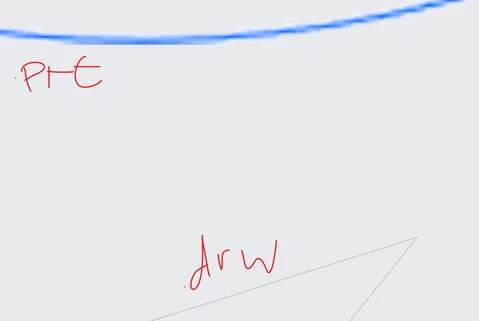
My problem is, that whatever is contained on my drawing, gets turned into a image, when exporting it via Creo12.
So if I open the .dxf file in another software, I do not have single splines or curves anymore, I have one big, very blurry, image, as seen on top here:
What have I tried:
- using a solid part as a base
- using a sketch as a base
- trying different dxf versions
- deleting layers for the export
- checking unit is the same between .prt and .drw
- export without drawing boarder
- export with drawing boarder
What I found out:
- creating the sketch directly in the drawing file returns a clean assembly of lines - but I do not want to re-draw my designs from the .prt. So this is not a solution. It looks like this (top - image, bottom - sketch as it should be):
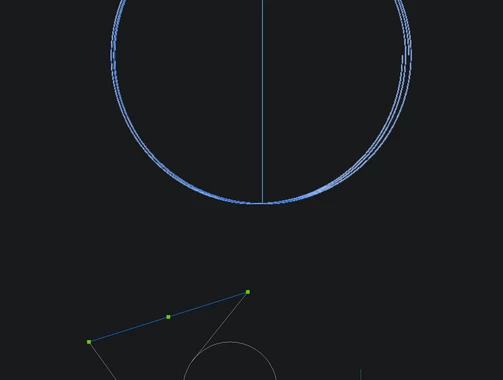
- creating a sketch directly in the drawing files AND adding a solid from a .prt combines both problems and also creates a new problem: in the preview of the dxf, I see my sketch and the solid. if I open the dxf in a different software, the solid does not get exported but instead the sketch in the .prt gets exported, which is not even visible on the drawing.
So I assume something goes wrong in the communication between .prt and .drw.
I have checked the config options, but so far I have found nothing that sounds like it would fix my problem.
Does anyone have experiences with this or may know a config setting I could try?
Every idea is very welcome - thank you very much!