10-Marble
December 5, 2024
Solved

Customize a symbol that is in the native drawing format

  • December 5, 2024
  • 1 reply
  • 2251 views

Hello all,

I'm struggling about creating a new format in our company's drawing, we are using Creo 9.0.4.0.

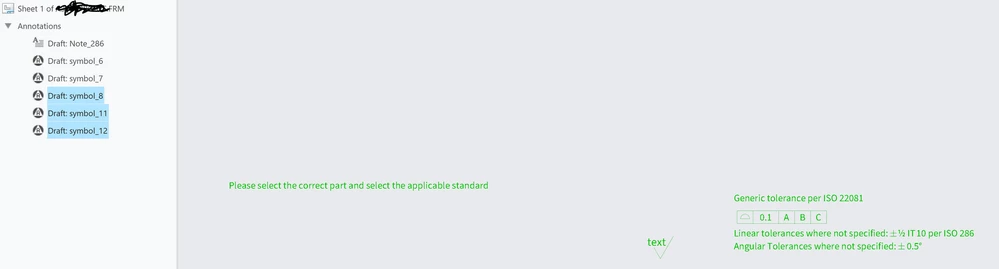
I want to add some selectable notes in the drawing and I succeeded by creating a custom symbol. I can customize it when I am still redesigning the format file, change the values, move it, everything rocks.

Now when I want to create a drawing with this format, I cannot customize nor move the symbols anymore. They are frozen as they are printed on the paper and I cannot even try to customize it at all as they are not present in the symbol list at all.

Do you know if I missed some parameters in the config, in the dtl or in the symbol itself so that I can at least customize it?

Thank you in advance for your feedback and help!

Giandonato \
Catalina_0-1733403471764.png


Catalina_1-1733403480927.png


Best answer by gstall

Yes Joe, I did this with the command &sym(SYMBOL_NAME) and it worked, thank you 🙂

1 reply

23-Emerald III
December 5, 2024

Have you tried putting the symbols in the drawing template instead of the format? This will allow you to edit them.

I only put tables in my formats and then symbols go in the templates.

gstall10-MarbleAuthor
10-Marble
December 5, 2024

Hello,

I have to do a very simple yet stupid question, what is the difference between format and a template? Historically we are using the format .frm and I have no experience with the template drawing honestly.

If you can explain this difference to me and how to use them it would be perfect, thank you 🙂

23-Emerald III
December 5, 2024

In simple terms, to start, the format is the drawing border and tables for the titleblock. You can then create a template utilizing the format but add additional things to it, like symbols, notes and some people even add views. The views can populate automatically when you create a new drawing using the template.

About Drawing Templates


This one of our formats

BenLoosli_0-1733435940293.png

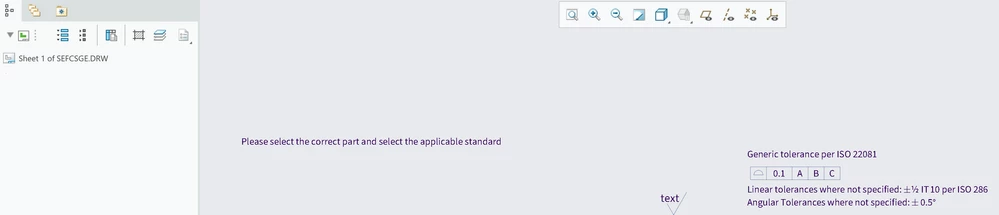
This the drawing template that we use to create drawings with

BenLoosli_1-1733435996927.png

The format has the parameters in it.

The template has those values filled in from the parameter table.