

Datum plane overload
Am I missing something, or is there something fundamentally wrong with the way Creo handles datum plane visibility? When I want to assemble a part using datum planes, I typically end up with a situation something like that shown below. The graphics window is close to useless, and I have to navigate the model tree to find the right plane.
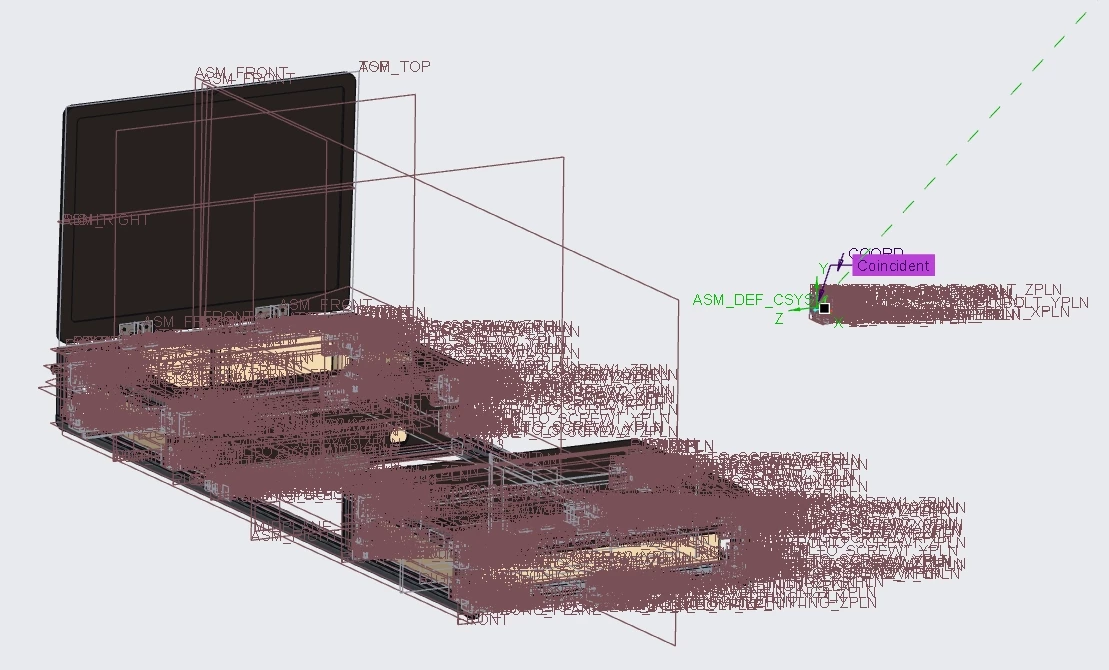
I know I can use layers, but its more of a workaround than a solution, not something that I'd expect from a 20 year+ application. Am I missing something, or is there an easy way to just show the datum planes for the active part, and whichever part or assembly I'm trying to assemble too? Surely the part assembly process should allow me to easily just click on a part and show only the datums for that part?
Sam