Solved
Deleting Axis after Removing / Moving Cuts
Hello,
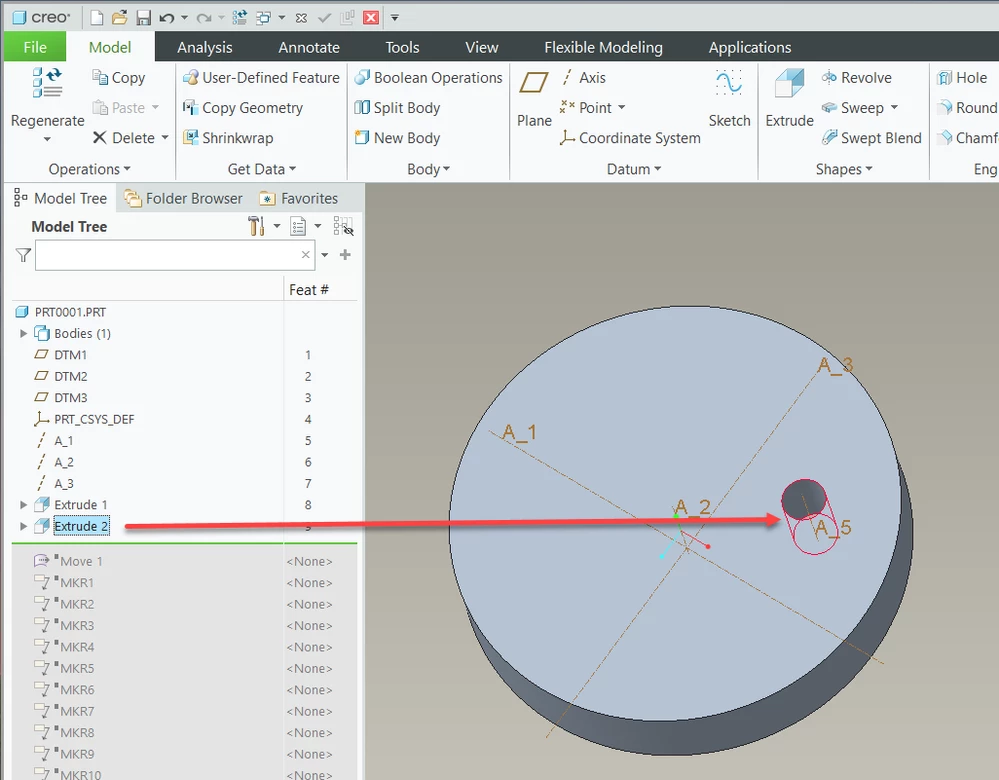
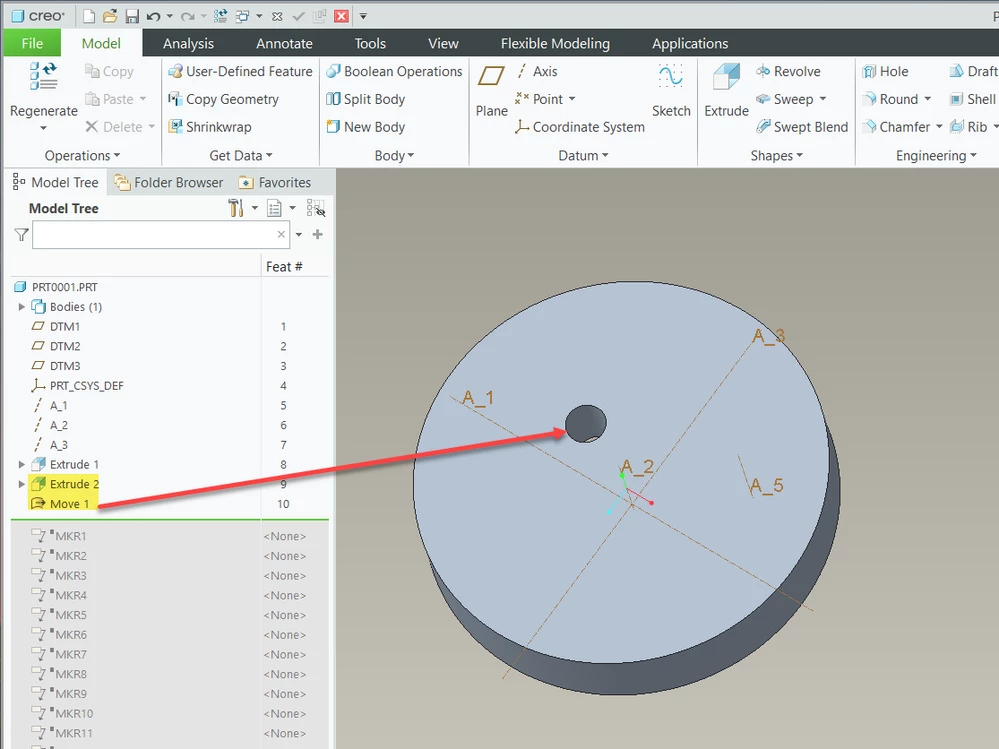
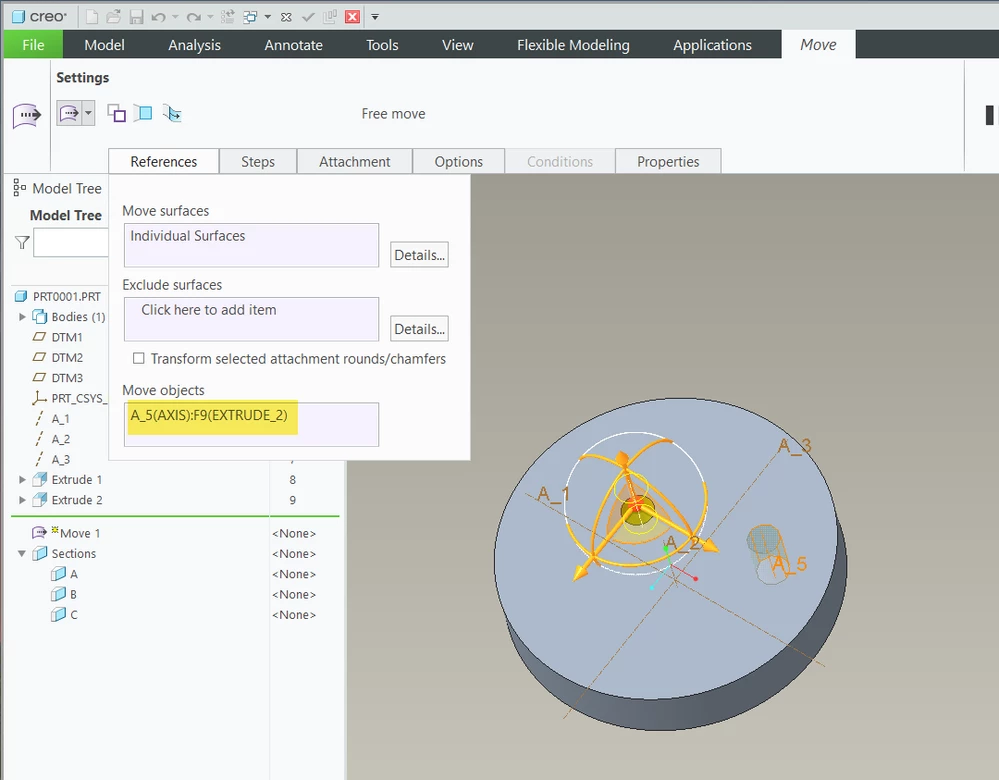
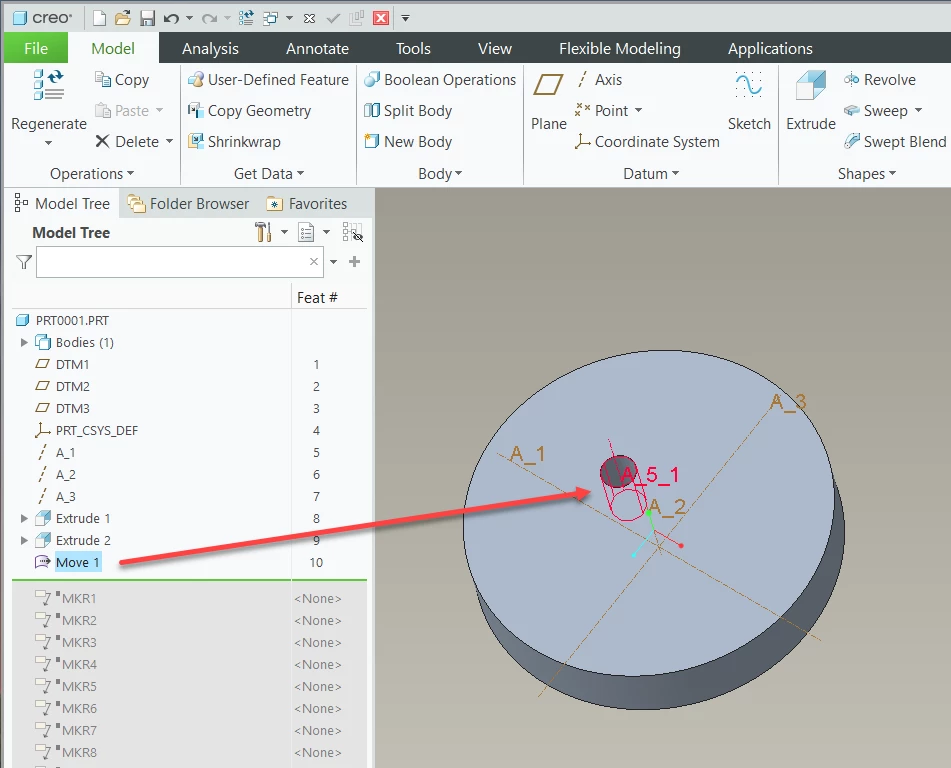
After removing or moving circular cuts by using commands under flexible modeling tabs, axes of cuts remain at their old place. I know you can move surfaces with their respective axes, but I need a way to delete them rather than moving. It is not the case when you use remove as well. I tried to find those axes from layer tree but did not work either. You can create new axes where you move the old cuts/holes, yet I need the erase old ones.
If the explanation is not crystal clear, I can provide images. I am using Creo 9.
Thank you.