

Question
Diameter Dimension in Drawing View (Creo 3.0)
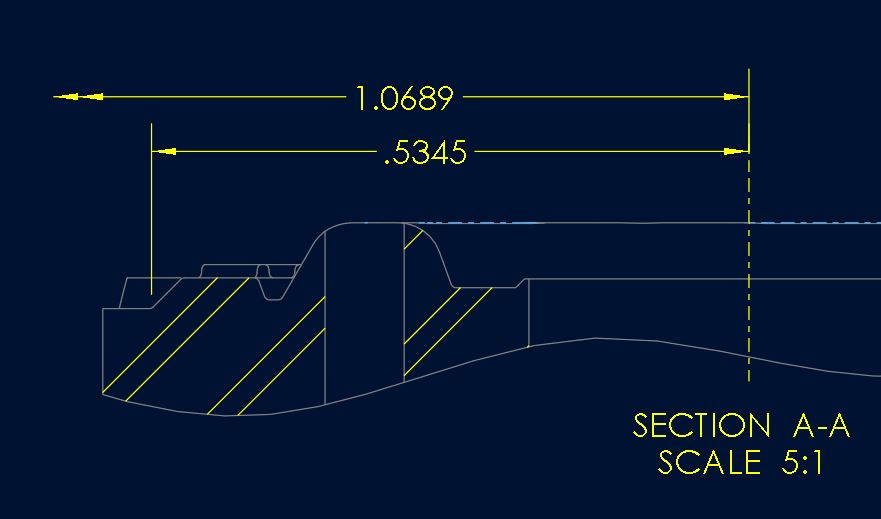
Can anyone bring me up to speed on how to create the diameter dimension shown below correctly? In 2.0, I could pick a point, then the centerline, then the point again and get the diameter. In version 3.0, the option seems to be only to double the dimension. This gives me the exact opposite of what I need. I'm kind of stuck here and PTC does not answer their phones today. Thanks in advance.
This thread is inactive and closed by the PTC Community Management Team. If you would like to provide a reply and re-open this thread, please notify the moderator and reference the thread. You may also use "Start a topic" button to ask a new question. Please be sure to include what version of the PTC product you are using so another community member knowledgeable about your version may be able to assist.