
1-Visitor
May 28, 2012
Solved

Dimension not showing; creo elements

  • May 28, 2012
  • 6 replies
  • 12806 views

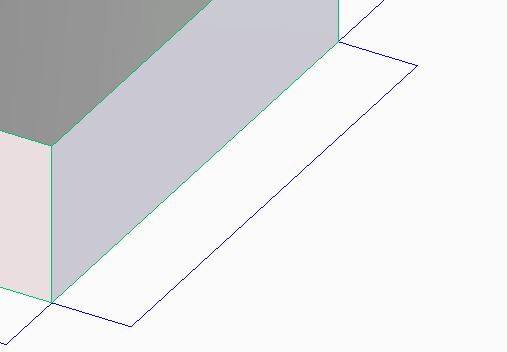
Ok, see my image, picture is a thousand words. I'm new. I searched discussions and help file, went through all the settings I could find. Well my dimensions are not showing? If I click on a dim line the pull arrows and the dim box pop up with the correct dim but in normal view they do not show. Any idea?

TIA
Capture.JPG


This thread is inactive and closed by the PTC Community Management Team. If you would like to provide a reply and re-open this thread, please notify the moderator and reference the thread. You may also use "Start a topic" button to ask a new question. Please be sure to include what version of the PTC product you are using so another community member knowledgeable about your version may be able to assist.
Best answer by GaryLinscheid

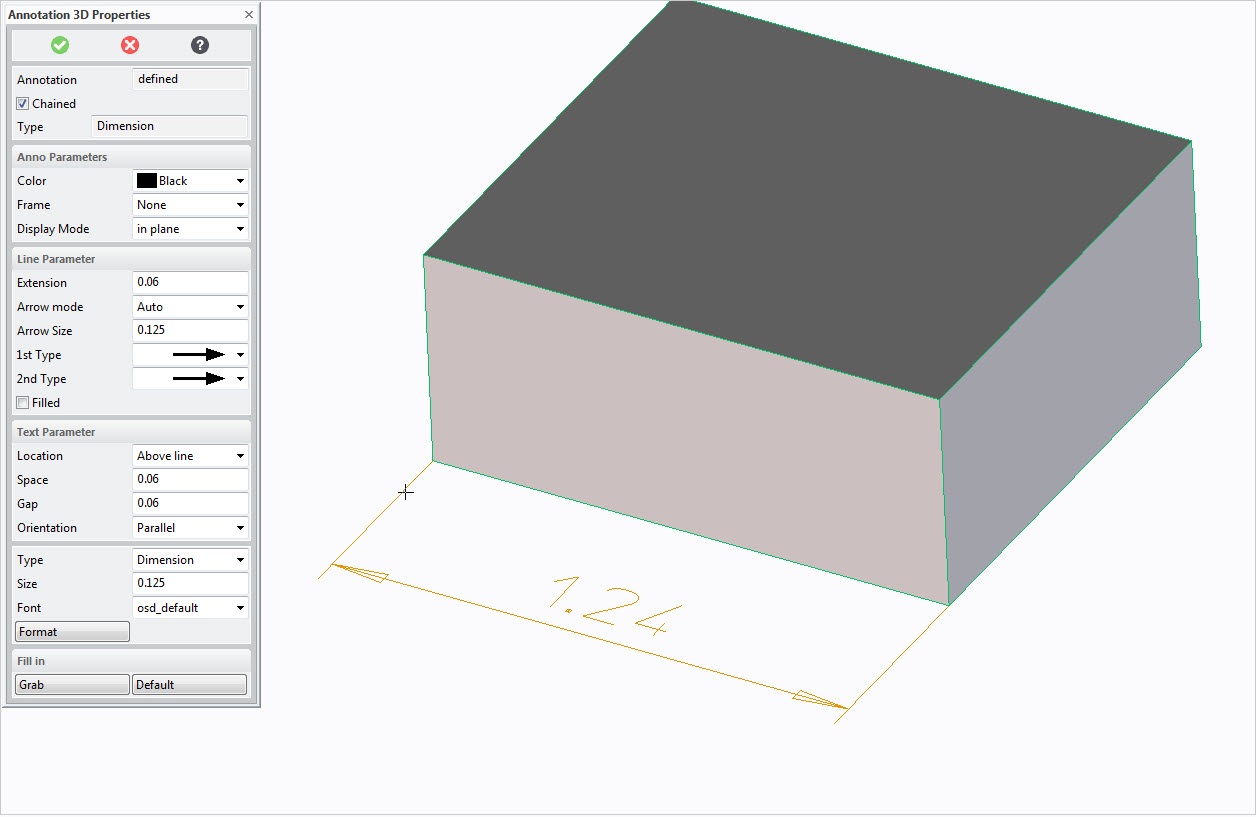
I believe you are in Creo Elements / Direct. I would guess that your arrow size and text size is set very small.

3d dim.jpg

6 replies

1-Visitor
May 29, 2012

Hi John,

i could be mis-understanding your issue, but worth a try. Have you set the config option "allow 3-d dimensions" to yes?

Regards

John

jellison1-VisitorAuthor
1-Visitor
May 31, 2012

Sorry out of town; ;; under File > Settings, or File > Customize, I can not find this Allow 3d dimensions anywhere. Can you help a novice point to it. BTW search in the help file for same gives nothing close. So I'm at a loss to figure it out unless it is in a config text file. Please advise, thanks for the help..

1-Visitor
June 1, 2012

Hi John,

ok, let us try sort this out. With your drawing open, go to file>drawing options. You will find the allow_3d_dimensions option here, the default setting is no, which is probably why you cannot show the dimensions you require. Set it to 'yes'. I hope this solves the problem.

Regards

John

24-Ruby III
June 1, 2012

John,

please upload your data.

Martin Hanak

15-Moonstone
June 1, 2012

I believe you are in Creo Elements / Direct. I would guess that your arrow size and text size is set very small.

3d dim.jpg

jellison1-VisitorAuthor
1-Visitor
June 6, 2012

Thanks, after changing the size of them I can see them, but I have nothing to gage this against. trial and error I suppose.