
1-Visitor
December 11, 2013
Solved

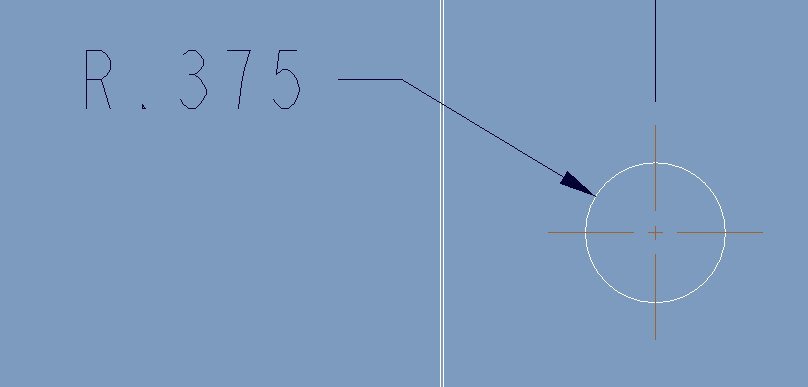
Direct Diameter representaion on the drawing
  • December 11, 2013
  • 1 reply
  • 1871 views

dia.PNG

Hi folks,

How to place Diameter dimension directly on the drawing instead of Radius without edting.

At present i am doing like using this "@O"

Can anyone help me?

Thanks

AraviK


This thread is inactive and closed by the PTC Community Management Team. If you would like to provide a reply and re-open this thread, please notify the moderator and reference the thread. You may also use "Start a topic" button to ask a new question. Please be sure to include what version of the PTC product you are using so another community member knowledgeable about your version may be able to assist.
Best answer by AraviK1

Got the solution. Thanks HatimAbdul.

HatimAbdulSilver

123 posts since
May 16, 2008

You can eith delete it and recreate it or you can select the dimension, right-click. From the popup menu select (edit attachment). Click twice on the arc/circle and middle click to obtain the diameter dimension (rad dimension is by one click on the arc/circle).

AraviK

1 reply

AraviK11-VisitorAuthorAnswer
1-Visitor
December 11, 2013

Got the solution. Thanks HatimAbdul.

HatimAbdulSilver

123 posts since
May 16, 2008

You can eith delete it and recreate it or you can select the dimension, right-click. From the popup menu select (edit attachment). Click twice on the arc/circle and middle click to obtain the diameter dimension (rad dimension is by one click on the arc/circle).

AraviK