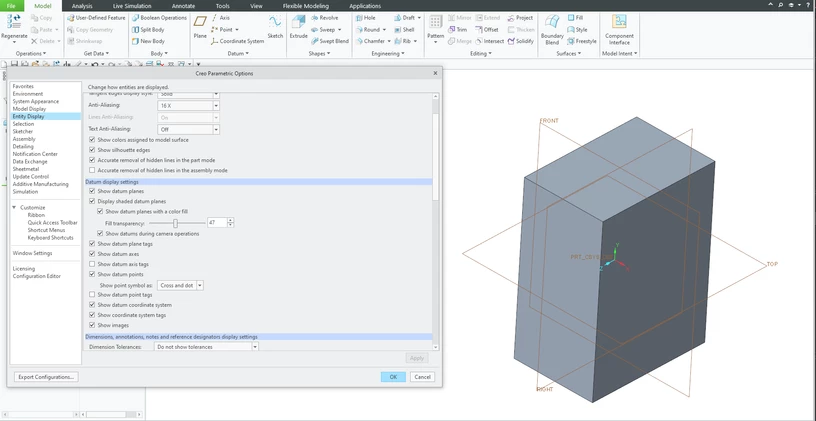
I just installed Creo 8.0.2. I have "Display shaded datum plane" selected and the config.pro option "3D_datum_display_fill" set to yes, but my datums aren't shaded. Anyone have any idea what I'm missing?
Also, you can rename all config.pro files to hide them for Creo, start Creo and create new part to see datum plane display. If filled datum planes are displayed then your problem is caused by config.pro option.
I'm aware of the bug regarding the datum planes only displaying the positive side color and not the negative when shading is turned off. There was an SPR filed for that.
But that's a different issue from mine. My problem is that I can't get the datums to shade at all. As you can see in the image, I have selected the datums to be shaded, as explained in Help Center, but they will not shade.
For the record and in addition to Martin's excellent solution, the config.pro option that was preventing the datums from being shaded was enable_opengl_shader. I deleted it from the file, and now everything is running smoothly.
Now I see another problem. Some of the components in my assembly are completely hidden by the datum planes. When I hide the planes then I can see them. This occurs with the default empty config.pro file.
I'm beginning to think shaded datum planes aren't quite ready for prime time yet.
Is this a situation where no config.pro file means 0% transparency? Did you try to change the 3D_datum_planes_transparencypercent value to see if it behaves better?
