3-Newcomer
May 13, 2026
Question

Download ISO fit tolerance tables

  • May 13, 2026
  • 3 replies
  • 34 views

Hi, 


Is it possible to download ISO fit tolerance tables from the community, or where can I find the correct format for creating them manually? In my case, the folder is empty.
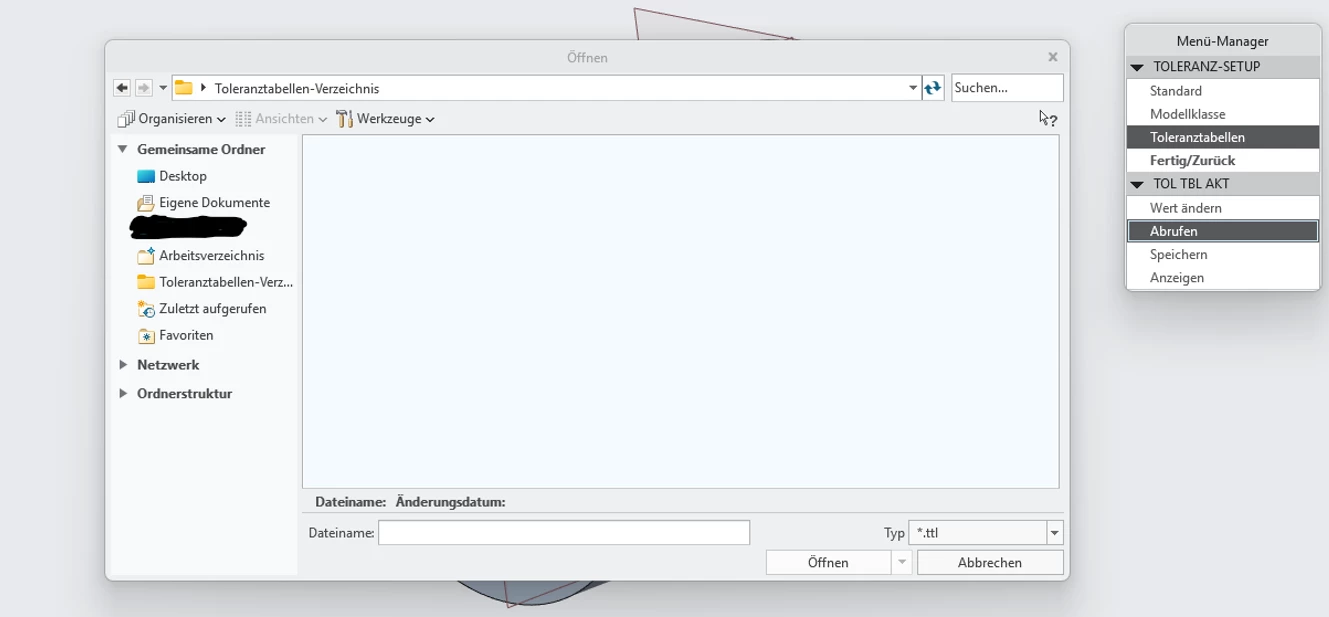


Thank you!

3 replies

tbraxton
22-Sapphire II
22-Sapphire II
May 13, 2026

Are you asking about ISO hole/shaft fit tolerances?


The ISO tolerances are in this default directory in the install path unless you are using a config option (tolerance_table_dir) to specify a different path. If you are not using that config option, then you should find ISO tolerances in a path as shown below based on your installation location.


C:\Program Files\PTC\Creo 10.0.9.0\Common Files\tol_tables\iso

Van_AG
15-Moonstone
May 13, 2026

Verify that the `tolerance_table_dir` option in the configuration file specifies the path to the folder where the tolerance files are actually located. If this option is not present in the config, Creo should look for the tolerance files in the <creo_loadpoint>\Common Files\tol_tables\iso folder.
If that folder is empty as well, you can extract the tolerance files (ttl files) from the Creo distribution. For example, in the Creo8 distrib, the ttl files are stored in the ptc9.cab archive. In the Creo10 - in the ptc7.cab.  Alternatively, you can reinstall Creo.

3-Newcomer
May 13, 2026

Awesome, thank you very. 


Now the problem is that after adjusting the path, the option is still not available in the tolerance menu: