

Drawing dimension symbolic name issue
Using Creo 8.0.9
I'm working on a drawing that has a large table of dimensional values that directly reference dimensions created on views in a later sheet. When I create the dimensions on the drawing view, I enter a symbolic name (like 'H4', see image below) that corresponds with the name of the value on the first page. This way if the model changes in the future, the table automatically updates instead of needing to manually type in the new value. So, the table on sheet one has the value &H4, but displays the dimension named 'H4'.
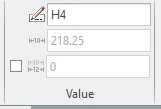
The issue I'm running into is that sometimes when I enter the name I want, it brings up a pop-up that says "This symbol is reserved or exists already". When I look through the annotations dropdown in the drawing tree, the dimension name I want isn't found under any of the views so there shouldn't be a conflict.
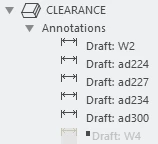
Is there a way to see a list of all created dimensions on a drawing? I've also tried looking in "Show Model Annotations", but don't see the names I want there either. Is it possible there are hidden dimensions somewhere that I'm not looking, or is this a bug?
Thanks for any help you can provide!