1-Visitor
December 27, 2016
Solved

Edit/Modify Weld Symbology

  • December 27, 2016
  • 3 replies
  • 7002 views

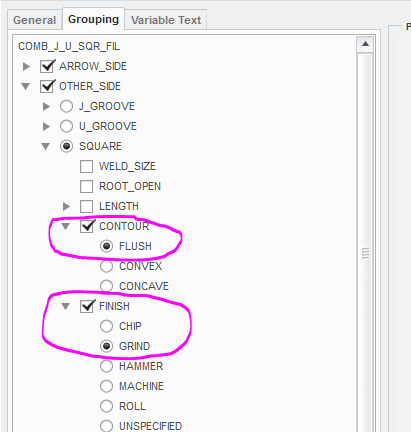
If I use this weld symbol (Contour-Flush / Finish-Grind), the distance between the weld and the Grind is too great.

Can this distance be changed/modified and if so can someone explain how? PLEASE!
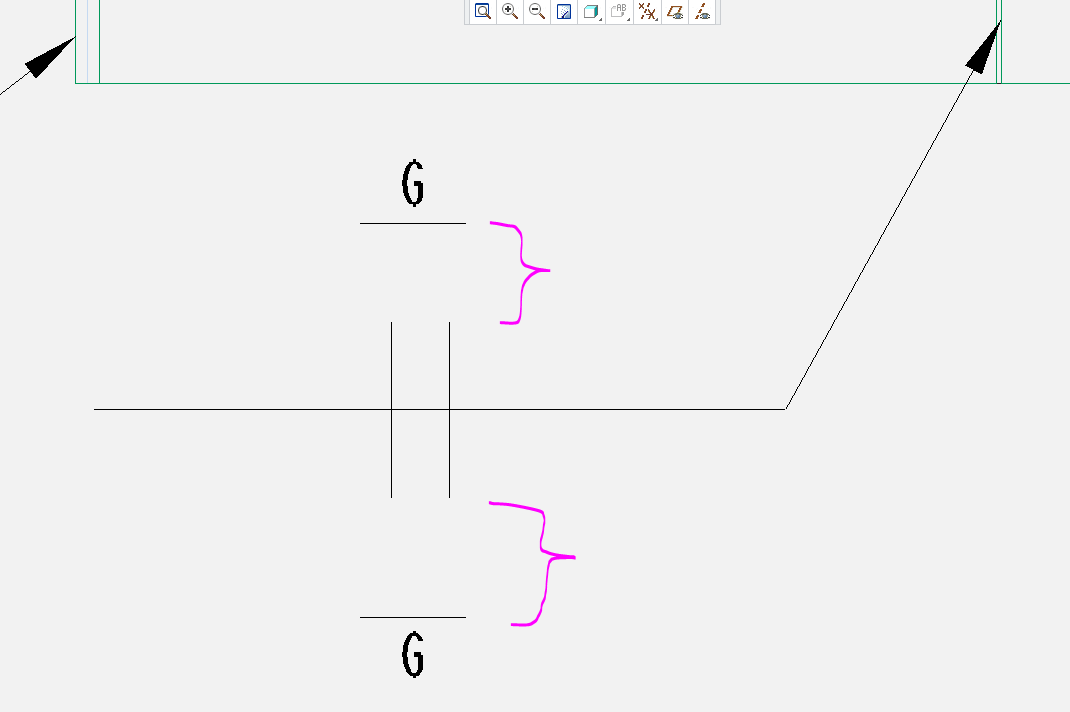


This placement is much more acceptable (It's a fillet weld)
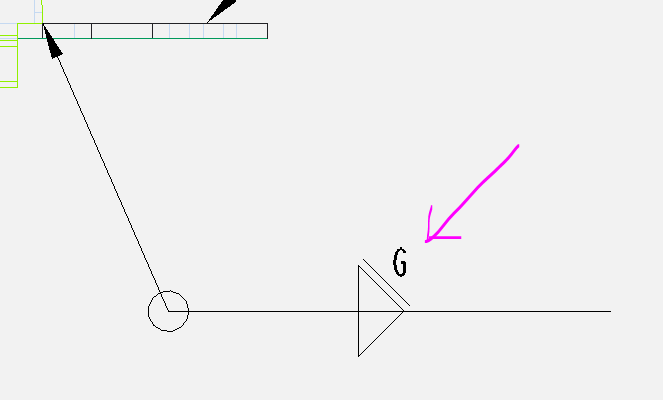
 

PLEASE help.


Thanks!

Best answer by StephenW

It's creo 3, sorry.  Try this one. I still had a working copy of Creo 2.

3 replies

23-Emerald III
December 27, 2016

Is this the standard weld symbols that come packaged with Creo? It sure looks like it.

I'm not 100% sure about the pre-packaged welds, for this drawing only, you should be able to the annotate tab, select the drop down arrow next to custom symbol and choose symbol gallery, redefine, pick the symbol you would like to modify and edit the symbol to your liking.

The problem you will likely have is that weld symbols are complicated and creo's symbol editing is horrible, to say the least.

pmalone1-VisitorAuthor
1-Visitor
December 27, 2016

Yes. Creo 2.0 out of the box...

I was looking and it is hieroglyphics

23-Emerald III
December 27, 2016

They are awesome!!! I use a custom built weld symbol that does virtually every weld in one symbol...it's impenetrable!!!

23-Emerald III
December 27, 2016

See attached symbol...I thought I would give it a shot. It's not too bad but that simple modification, if you need to use other options like root opening or root angle won't fit right anymore.

I added "_MOD" to the end of the symbol file name so there wouldn't be an issue.

pmalone1-VisitorAuthor
1-Visitor
December 27, 2016

Creo Version?

I cannot open the file..

I'm using 2.0

StephenW23-Emerald IIIAnswer
23-Emerald III
December 27, 2016

It's creo 3, sorry.  Try this one. I still had a working copy of Creo 2.

15-Moonstone
May 31, 2017

With a symbol in drawing it's easy.... it's easy to modify behind the tail.  In Creo 4.0 weld tools I struggle modifying from the default number into a note.  Ideas?

In the past as w/ the big Tractor Companies we teach to apply the prep cuts as assembly functions.  W/ the new Creo 4.0 weld tool I struggle to make that edge prep as an assembly function.  Instead the tool defaults to a part cut.  I wonder if the development team made a mistake or I am mistaken and don't notice the config.pro or some other setting.

Bart Brejcha

Design-engine.com