1-Visitor
May 29, 2017
Question

Edit/Modify Weld Symbology

  • May 29, 2017
  • 1 reply
  • 2146 views

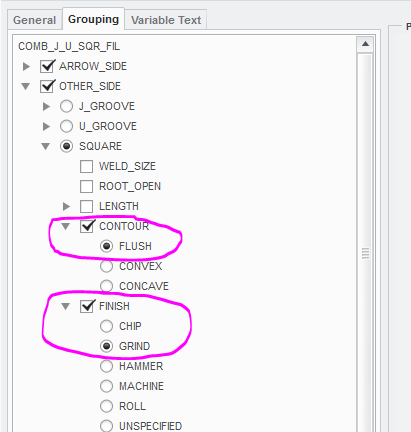
If I use this weld symbol (Contour-Flush / Finish-Grind), the distance between the weld and the Grind is too great.

Can this distance be changed/modified and if so can someone explain how? PLEASE!
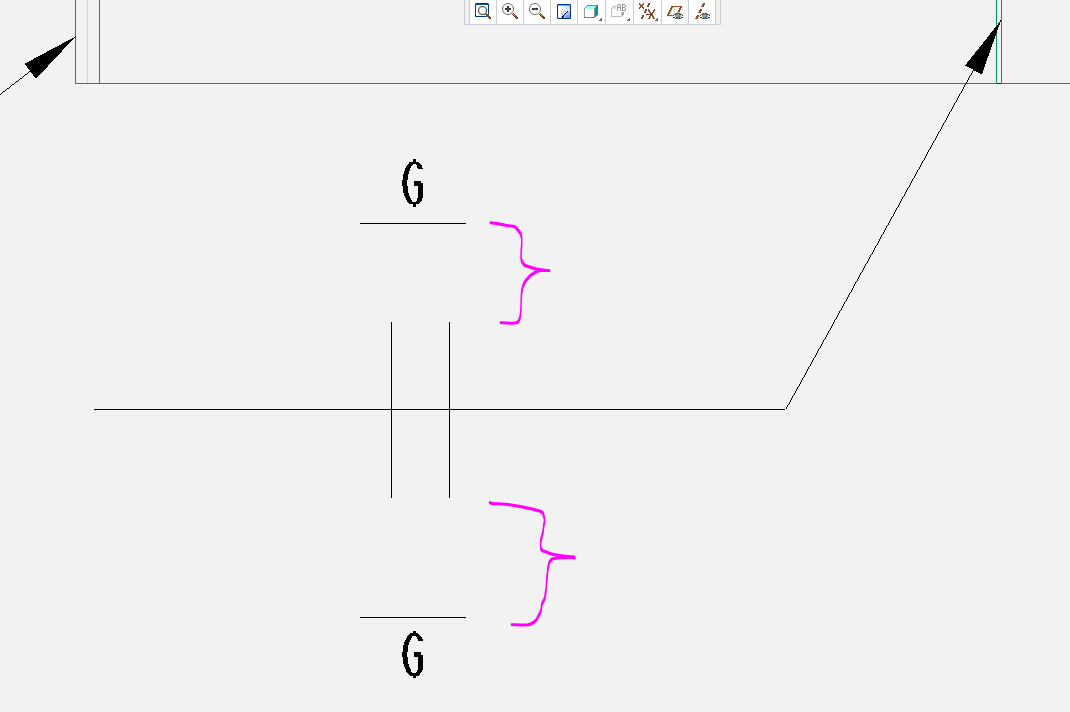


This placement is much more acceptable (It's a fillet weld)
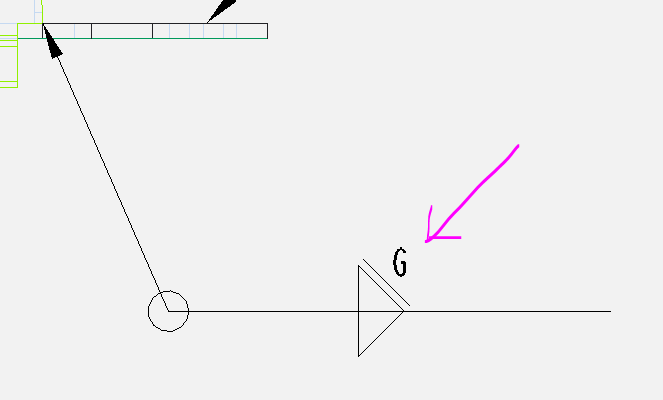
 

PLEASE help.


Thanks!

1 reply

12-Amethyst
May 30, 2017

Could you clarify your question? A '.tbl file' is a file on disk, and doesn't have the concept of being on multiple sheets.  I could imagine you are trying to ask:

1) How to delete a .tbl file on the disk.

2) How to delete a set of tables that appear with some variation on multiple sheets (perhaps a table that reports some key attributes of the component model, or maybe a title block you don't want/)

3) How to delete a table that, via pagination, has multiple segments located on different sheets.

or maybe something else.

I presume here that it is not the case that the table came from the format and the reason to delete it is to have it refreshed from the format.  (If that is the case, let us know.)

pbodke1-VisitorAuthor
1-Visitor
May 31, 2017

Sorry for the incomplete question, Let me clear you.

As of Now on any drawing I can add .tbl (stamp) file from TABLE FROM FILE with Mapkey, But once I put that table on drawing the name of that table gets changed  every time. (see snap)

We have to add that table whenever the drawing is in Progress but after finalizing it, we have to remove that table every time without forgetting.

therefore instead of putting effort's to delete that file from single sheet drawing or multiple sheet drawing, I just want use Mapkey which will automatically delete that same .tbl (Table) from all sheets or one sheet. So can you please help me to create this Mapkey.

24-Ruby III
May 31, 2017

Hi,

I think mapkey functionality is not able to achieve your goal. You need to develop TOOLKIT application.

MH