

16-Pearl
December 20, 2017
Question

Enneper Surface - how to model in Creo

  • December 20, 2017
  • 3 replies
  • 10992 views

Hi, I have tried approximating the simplest form of the above surface but the results are not satisfactory. I am sure this can be modeled with a better surfac equality, just that I do not know how.Capture.JPG
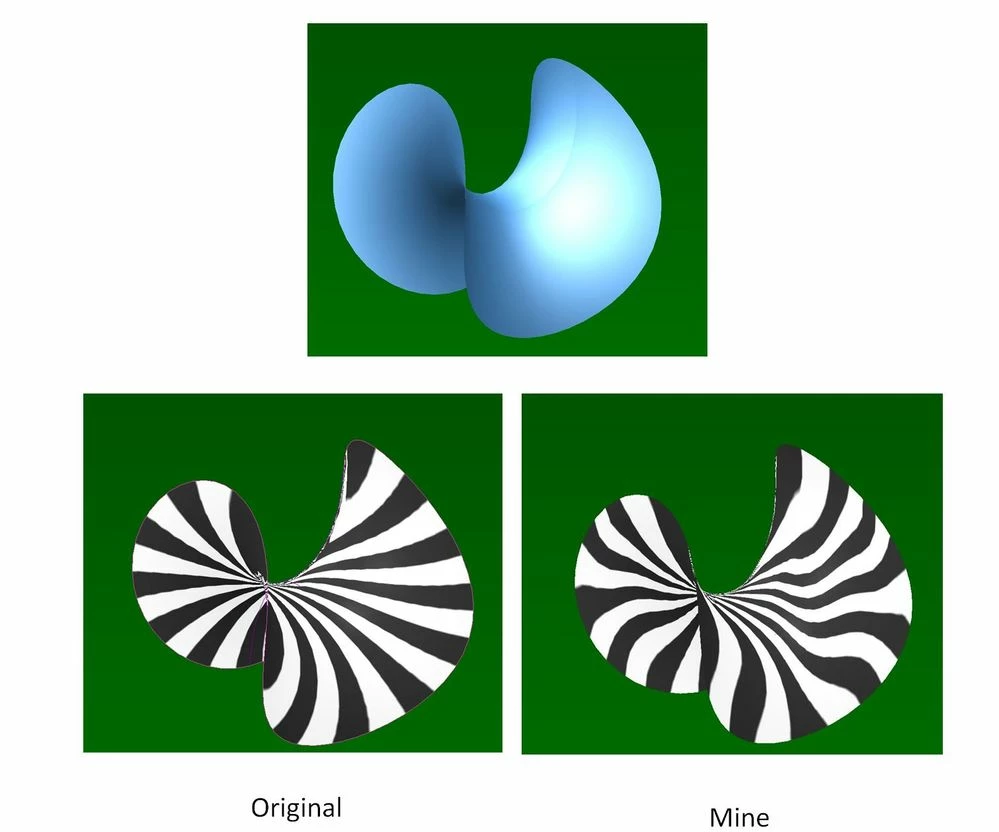
  i attached here the original IGES file retrieved from internet and the step file of my own version. May be some of you could help to look at it and share with me the better way to model this surface. Many thanks in advance.


3 replies

1-Visitor
December 20, 2017

I seem to remember modelling a surface like this some time in the distant past. I think I used a toroidal bend. I just knocked together a very basic model & it seems to create a reasonable surface. Model attached.

Regards

John


BHOoi16-PearlAuthor
16-Pearl
December 20, 2017

Thanks, John. Unfortunately I am still on Creo2. Possible to send Creo2 version?

1-Visitor
December 20, 2017

Creo 2 model attached.

Regards

John

Patriot_1776
22-Sapphire II
January 7, 2018

I played with it, and this is the one I'm most happy with.  I think, at it's core, creo isn't really happy trying to make C2 surfaces.  There's ripples where there shouldn't be.  I wish they'd offer an upscale version (not something else) that had true C2 capability, where you could establish the boundaries, and force the resultant surface to be C2.

BHOoi16-PearlAuthor
16-Pearl
January 8, 2018

This is fantastic!

Would you mind to share how did you model or share your creo 2 file ? Thanks in advance.

Patriot_1776
22-Sapphire II
January 8, 2018

Here's a .stp file disguised as a .bmp file, just change the filetype back to .stp

I plan on tweaking it a touch to try and get it a little smoother.

BHOoi16-PearlAuthor
16-Pearl
January 9, 2018

Thanks, this quilt is very smooth! Only thing I am unable to do is to offset it, might be due to its degenerate corner. I am sure this can be improved.

Capture.JPG

Patriot_1776
22-Sapphire II
January 9, 2018

Yeah, this is exactly what I was talking about.  I'm not liking how creo is handling this area.  Granted it's a small area, but still.  I was not able to even create the surface the way I SHOULD have been able to, I was forced to pick these edges a certain way to even get it as smooth as it is.  I have a couple more trick up my sleeve I'm going to try for fun.  Not knowing the actual math behind an enneper surface, I can only make what I THINK it is, but, regardless, I think it's a cool surface from an "artsy" perspective.