
15-Moonstone
April 14, 2026
Question

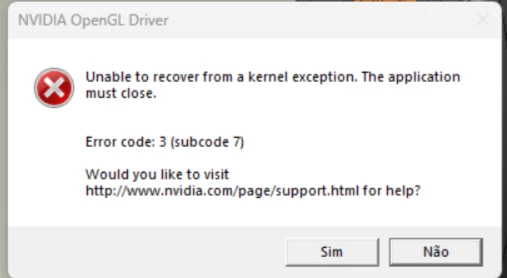
Erro NViVIA OPENGL DRIVE

  • April 14, 2026
  • 3 replies
  • 197 views

I'm getting an error when running tasks in CREO: ERROR CODE:3 (SUBCODE7). I've already contacted NVIDIA; we've updated the driver, rolled back to older versions, and tweaked the graphics card settings, but the error keeps coming back. The card is a Quadro P400. 


3 replies

Community Moderator
June 1, 2026

Hi ​@MS_Santos,

Thank you for your question. 

Your post appears well documented but has not yet received any response. I am replying to raise awareness. Hopefully, another community member will be able to help.

Also, feel free to add any additional information you think might be relevant. It sometimes helps to have screenshots to better understand what you are trying to do. 

Regards,

Anurag 

7-Bedrock
June 4, 2026

Same issue here with new Nvidia Drivers. Several DELL Workstations (from 2019/2020) PTC Certified, are getting the same error in our company.

We went back to 573.48 which is nearly one year old, works stable in Creo 12.4.X

GPU is a Nvidia Quadro RTX 4000

DB@HuscoInt
12-Amethyst
June 4, 2026

There is a CS article as of March 2026 that has steps to resolve your issue: Article - CS344319 - When using Creo Parametric to open and close files, there is a freeze with NVIDIA OpenGL Driver error Unable to recover from a kernel exception. The application must close


You should be able to log in with your PTC account and follow the steps in this article. RTX 4000 and P series graphics cards are listed as affected cards.