4-Participant
March 4, 2021
Solved

Extruding up to multiple Surfaces

  • March 4, 2021
  • 1 reply
  • 11681 views

Im trying to extrude up to this inner Surface with a certain amount of clearence. Untill now im only getting it extruded up to the nearest Surface. Normally i would select the Surface i want to extrude to and set an offset, this doenst work here somehow.
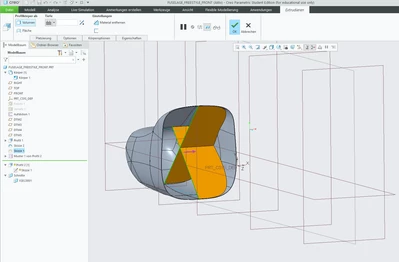
 

Nearest.PNG

If i try do choose the Surfaces i only can select one.
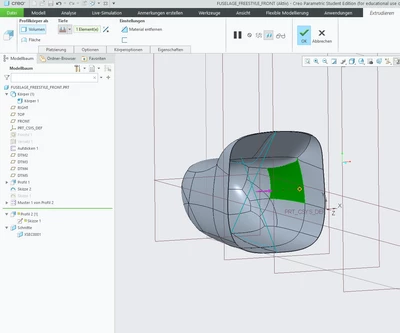
UpTo.PNG

If i try to select "extrude to the nearest surface" in both directions it doesnt work either. If i split it into 2 seperate extrudes it works, meaning extrude one side first and create another one for the second side.
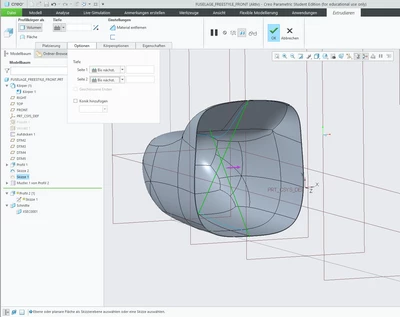
BothSides.PNG

Hope someone can help me.


Best answer by kdirth

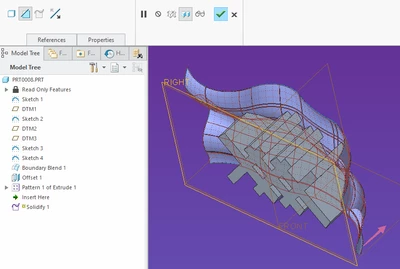
I am suggesting you create the ribs to overfill the quilt then cut the ribs to size using the solidify feature to cut the ribs to size.  He is an image of an offset quilt being used to cut a patterned rib.

kdirth_0-1614876420679.png


I would send you a sample but it seams PTC has decided that Creo 7 student versions can not open commercial files.

1 reply

tbraxton
22-Sapphire II
22-Sapphire II
March 4, 2021

When using surfaces as a depth reference for a feature it is preferable to select the quilt option as it will be more robust. Internal IDs can change for surfaces and the quilt option is more stable due to this.  Try setting the selection filter to quilt when selecting the depth reference.


If you need an offset value for the depth then you can create a copy of the quilt that is offset and use that as the depth reference.

4-Participant
March 4, 2021

Thanks for your answer,

with the selection filter set to quilt i still can select more than one surface.

When i create an offset for all the surfaces i cant set the extrude feature to extrude to this offset.

tbraxton
22-Sapphire II
22-Sapphire II
March 4, 2021

I can not tell from your description and screen shots what the problem is. If you post the model, then you will get better feedback.