1-Visitor
March 2, 2014
Question

File size is so large

  • March 2, 2014
  • 6 replies
  • 12118 views

Dear Folks

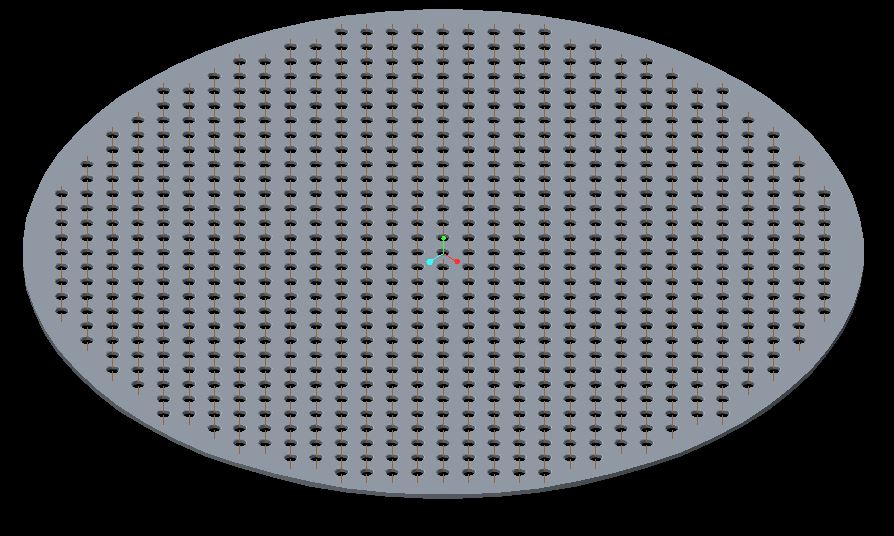
I have create round plate with 220 holes, a single file size is 170 MB. May i know why?

I have used a revolve tool, and hole with round tool then pattern.

I have attaced screen shot, kindly view it. and why the file size is increase

For Example:
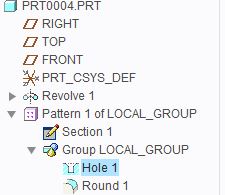
plate1.JPG

plate2.JPG

Regards

Viswanathan.K


This thread is inactive and closed by the PTC Community Management Team. If you would like to provide a reply and re-open this thread, please notify the moderator and reference the thread. You may also use "Start a topic" button to ask a new question. Please be sure to include what version of the PTC product you are using so another community member knowledgeable about your version may be able to assist.

6 replies

17-Peridot
March 2, 2014

The part file maintains a graphics copy of the geometry being displayed. The graphic quality settings will affect the size of this graphic model.

I highly recommend you add the following to all your config.pro files:

save_model_display wireframe

March 3, 2014

Visawanathan,

Edit definition on the pattern and make it identical. That will dramatically improve your regen time.

Best Regards,

Karl Krahmer

Patriot_1776
22-Sapphire II
March 3, 2014

It's the geometry of the rounds that is doing it.

17-Peridot
March 3, 2014

Pattern Geometry is only a definition and therefore is not a large data block in the file. The actual polygon count in the lightweight model maintained in part and assembly files is what is taking up most of the space. If the graphics settings in the options are set to high quality, the polygons are smaller and therefore more of them. By default, the system stores the parts as shaded representations. Wireframe is a lot more efficient for storage.

16-Pearl
March 5, 2014

This is exactly why PTC needs to seriously look at their lightweight modeling strategy for previews and fast viewing. I hate that this information is stored in the file...I feel the entire enterprise of Windchill and Creo should use the lightweight ol(Creo View) file generated from the windchill publisher for previews and a revamped strategy for looking at lightweight reps in Creo Parametric. It's ridiculous how many lightweight image formats and embedded information is hurting performance and unnecessarily duplicating information which makes managing images in the enterprise very difficult...you have thumbnails in windchill, previews within Creo Parametric, the structure visualization tab in Windchill and Creo View. For the companies going to Creo View as the large assembly viewer, we want single source of the truth!

Patriot_1776
22-Sapphire II
March 5, 2014

......I guess size DOES matter.....

23-Emerald IV
March 6, 2014

Take a look at this response in an different thread:

http://communities.ptc.com/message/206649#206649

There is a PDF attached that shows the impact different settings have on file size.

1-Visitor
March 14, 2014

On the plate create a hole and round features.

then 1.jpggo with seed & boundary option2.JPG

make a copy of the surfaces. then solidify the surface. then pattern the copied surface and then pattern the solidify.3.JPG4.JPG

this will reduce your file size by 60% and regeneration time by 70%.

17-Peridot
March 14, 2014

Don't bet on that, Manoja. Even though the entity count may be down, the geometry copy still calculates intersections. Have a look at the discussion linked below where both regen times and file size are really red herrings when it comes to knowing what is going on behind the scene.

Feature Failure with Repeating Patterns

As a matter of fact, I find the copy geometry patterns tend to fail more often than regular patterns.

Although I agree that your statement -should- be correct, PTC's implementation of a "simple copy" is not simple after all.