17-Peridot
July 20, 2012
Solved

Funky Appearance Manager

  • July 20, 2012
  • 3 replies
  • 7324 views

Creo 2.0 M020

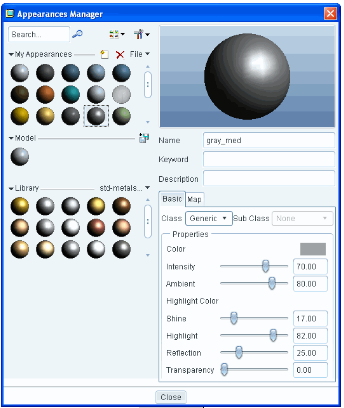
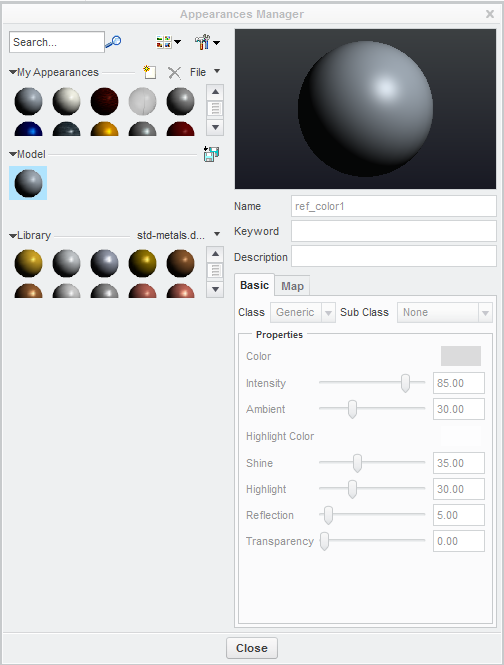
Anyone else have very limited visibility of their appearance icons?

I can't seem to stretch the windows or increase the visible appearances.

The comparison is a WF5 training screen.
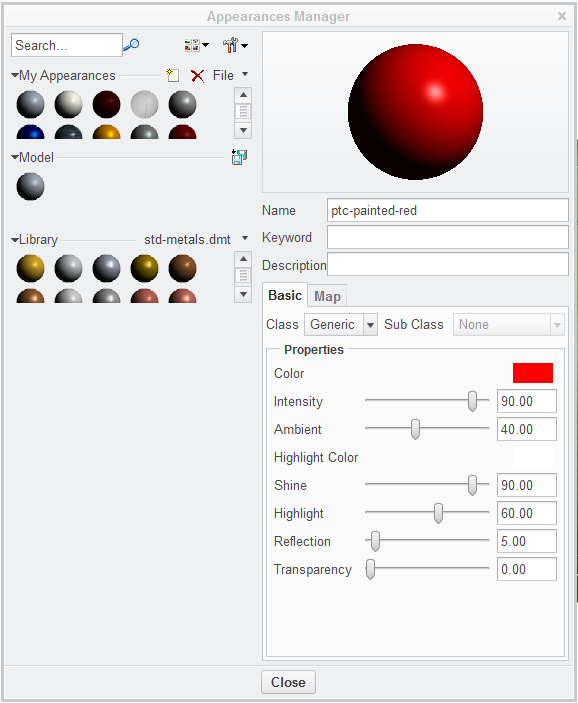
Appearance Manger Funky.PNGWF5_appearance_manager.PNG


This thread is inactive and closed by the PTC Community Management Team. If you would like to provide a reply and re-open this thread, please notify the moderator and reference the thread. You may also use "Start a topic" button to ask a new question. Please be sure to include what version of the PTC product you are using so another community member knowledgeable about your version may be able to assist.
Best answer by James62

Creo 2 M010

am.PNG

3 replies

15-Moonstone
July 20, 2012

Hi Antonius,
I can only compare to F000 where it looks alright...App_manager.jpg

17-Peridot
July 20, 2012

Thanks bernuth. I remember something like that in Creo 2.0 F001 as well.

1-Visitor
July 20, 2012

Hello, Antonius.

If you switch from small icons to the big ones and back again it will solve your problem.

Best regards, Vladimir.

CropImage.jpg

Patriot_1776
22-Sapphire II
July 23, 2012

Oh, and. BTW, I loathe the new appearance manager. Blech......

13-Aquamarine
July 23, 2012

Yeah... I have to agree with you Frank. The new Appearance Manager is not my favorite enhancement. I don't know what was so bad about the old one. It worked. It made sense. It was concise. I'm not sure why we changed it... but the new one is confusing and takes some previously easy-to-use features and makes them difficult.

I'm still scratching my head on this one.

Patriot_1776
22-Sapphire II
July 23, 2012

I scratch my heard any more or any harder and I'll be bald.......

The old one worked fine. Now, it seems so much less intuitive, and far more time-intensive just to do......what we were able to easily do before. How is that "progress" or "more efficiient"?

My only explanation is perhaps that, starting with the WF interface, PTC started firing all their experienced software developers and replacing them with people that Mac and Solidworks fired.

I think they've completely lost their sense of direction and customer needs. Can they fix it? Dunno. do I hope they DO? Certainly.

I don't think I'm going to give them anymore of my free time without something in it for me though......

Patriot_1776
22-Sapphire II
November 2, 2012

Ok, so, am I missing something, or is the "from model" ability now gone as an "enhancement"?

Really annoyed.....again.

17-Peridot
November 2, 2012

No, "from model" is now iconized in the edit appearance in the upper right corner.

Patriot_1776
22-Sapphire II
November 5, 2012

Yeah, finaly found it. Why do I need to spend eternity trying to find where they buried all the previously easy-to find commands? Still give the new interface an F-.