
10-Marble
December 3, 2024
Solved

Generative Design reconstructed parts intersecting with Excluded geometry areas

  • December 3, 2024
  • 2 replies
  • 2258 views

Hello,


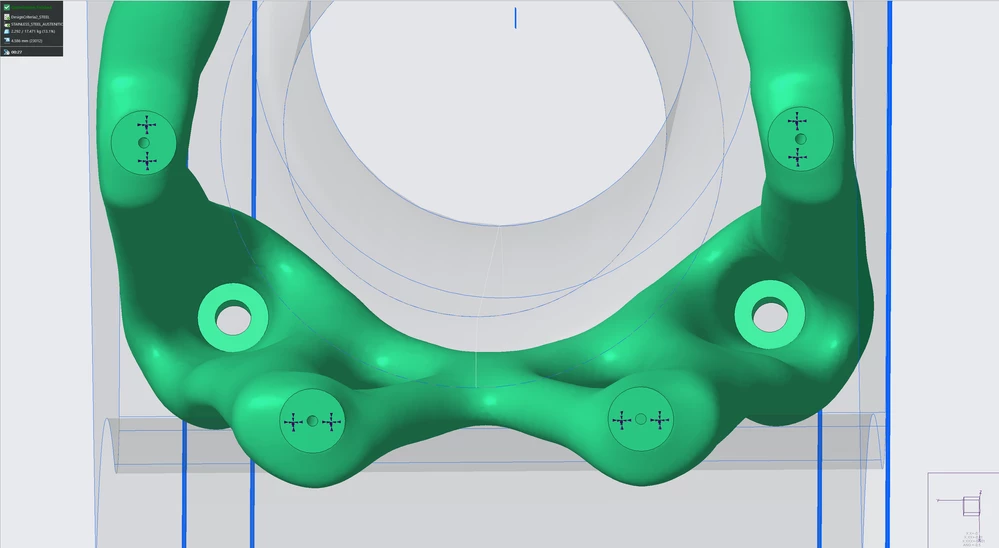
I am trying to create optimized parts for AM. During the initial optimization (pic 1), the part looks very good and respects the Excluded Geometry bodies, ie. keep out areas.
 

Pic_1_Generated_design.png


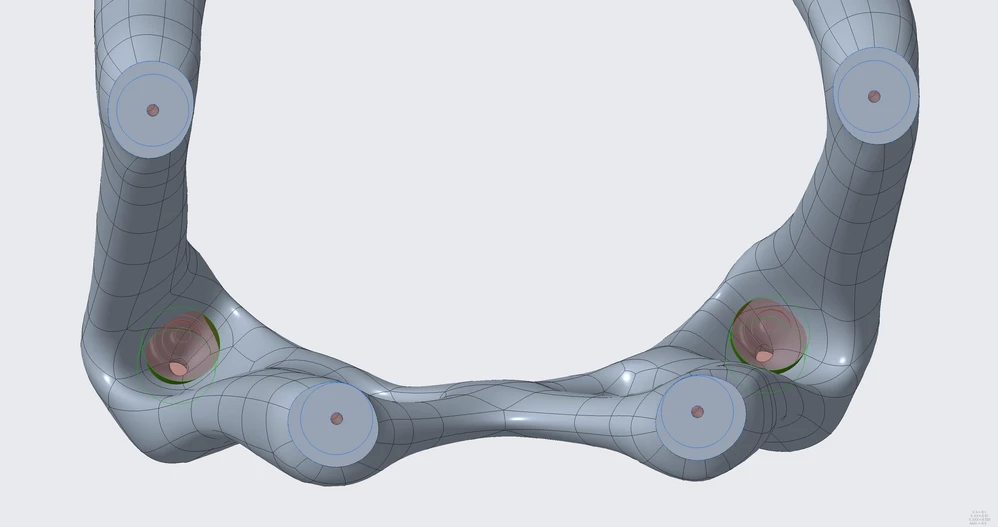
However, when I generate the result to reconstructed part (pic 2), it will create shapes intersecting with Excluded Geometry areas. In this example, I cannot attach the required fasteners to final design since the organic blobs are blocking it.
 

Pic_2_Reconstruced_design.png


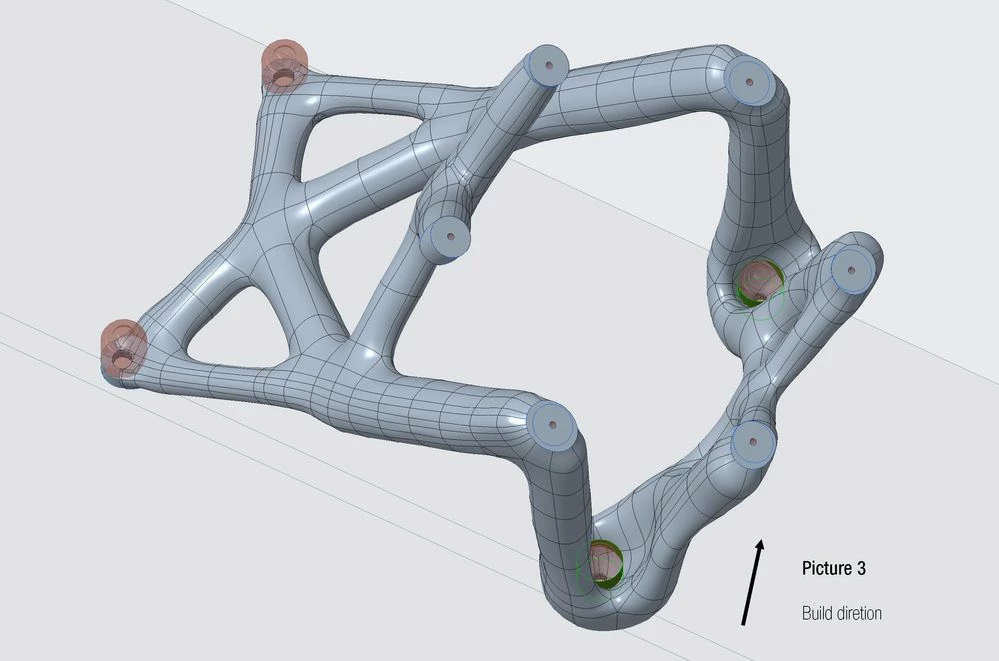
I thought that build direction could have something to do with it, so I flipped it to not have any internal "ceilings", or bridging, in the design. Same result (pic 3).
 

Pic_3_Build_direction.jpg


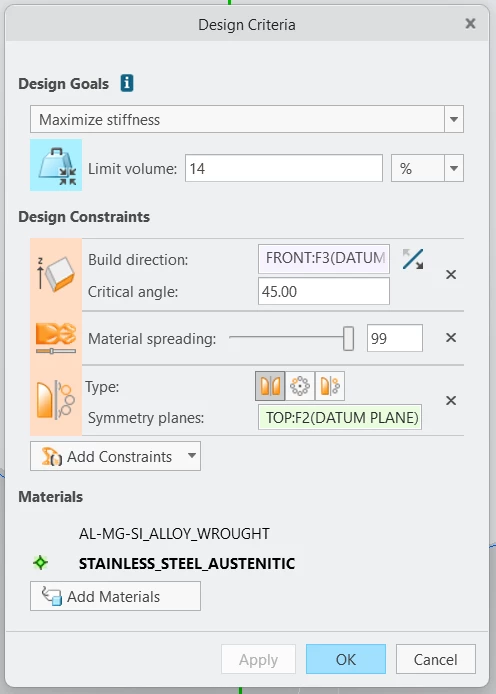
I have tried to change material, material spreading, forces, output resolution level, excluded geometry design etc (pic 4). The same challenge repeats, final reconstructed design does not respect my excluded geometry.
 

Pic_4_Design_Criteria.png

I am running it on CREO Parametric  10.0.1.0 with GTO & AAX extensions.

All tips are welcome & appreciated!
Best answer by ProFeature

Hi @JSar 

I use Creo 11, and I had the same hole issue you did.

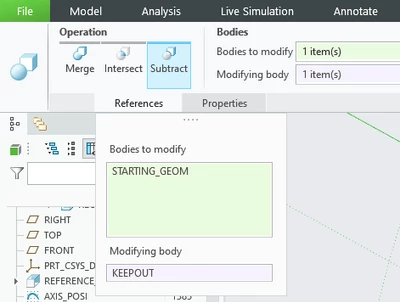
I recommend that you use the Boolean operation to remove the excluded geometry (KEEPOUT body) without using it in GD.

ProFeature_0-1733315048469.png


When I tried this technique, I did not encounter your problem.

Please note you Preserved geometry is partially outside the starting geometry. This is something you should fix, but it has no bearing on the hole issue you raised in the topic.


-Thanks,


2 replies

16-Pearl
December 3, 2024

Hi @JSar 

Can you share the model?

-Thnaks

JSar10-MarbleAuthor
10-Marble
December 4, 2024

Hi, I sent it to you as private message.

Thanks!

16-Pearl
December 4, 2024

Hi @JSar 

I use Creo 11, and I had the same hole issue you did.

I recommend that you use the Boolean operation to remove the excluded geometry (KEEPOUT body) without using it in GD.

ProFeature_0-1733315048469.png


When I tried this technique, I did not encounter your problem.

Please note you Preserved geometry is partially outside the starting geometry. This is something you should fix, but it has no bearing on the hole issue you raised in the topic.


-Thanks,


Dale_Rosema
23-Emerald III
23-Emerald III
December 3, 2024

Just a guess, but are the plus signs there to exclude those surfaces? If so, do you need to add those markers to the flat bolt surfaces that are being distorted?

JSar10-MarbleAuthor
10-Marble
December 4, 2024

Hi Dale, those plus-looking objects are symbols for the Fixed Constraint. They are for the preserved geometry and in the edge of my Design Space. If you compare the initial optimization result in green (pic 1) and reconstructed part (pic 2), the have no problems at all.

It's the red parts, excluded geometry that is the challenge. The reconstructed part will always overlap with them