
1-Visitor
March 25, 2014
Question

Helical Sweep, Ball and Worm Gear Assembly

  • March 25, 2014
  • 15 replies
  • 7205 views

I created ball raceway with helical sweep cut.

I can't manage to assembly 20 balls onto the raceway.

All balls must touch each other and must be tangent to the worm gear.

I tried to get curve from helical sweep but i couldn't achieve it.

(Image below is just for illustration)
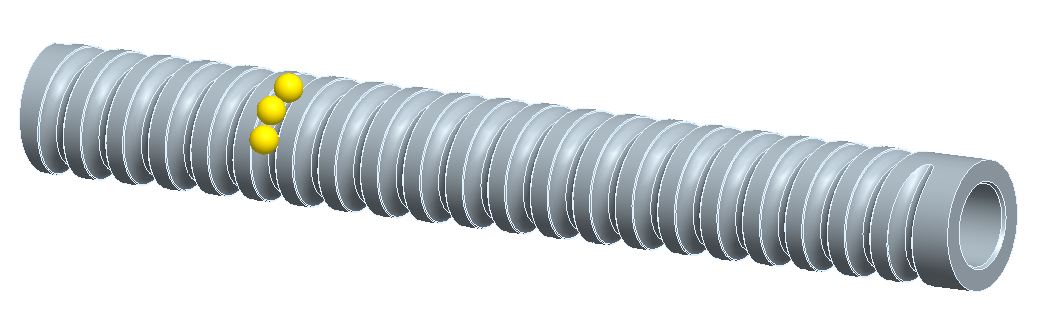
ball_assy_1.jpg

assembly and parts attached.


This thread is inactive and closed by the PTC Community Management Team. If you would like to provide a reply and re-open this thread, please notify the moderator and reference the thread. You may also use "Start a topic" button to ask a new question. Please be sure to include what version of the PTC product you are using so another community member knowledgeable about your version may be able to assist.

15 replies

17-Peridot
March 25, 2014

Have you tried to pattern the balls along a curve? You can use the dimension that represent the distance along a curve to pattern it.

What version are you using and is it the full version or academic version?

17-Peridot
March 25, 2014

A quick study of the problem at hand shows you can do the following.

You have to generate a centerline curve for the helical sweep in the worm_gear model. I did this with a pair of surface features and intersected them. I could also use an edge. However you get this feature is acceptable but it represents the centerline of the ball bearings.

in the assembly, place a point along the helix. You want to be sure to select the "intent curve" or apply the "tangent" rule so the entire helix will be referenced in the assembly.

Now pattern the point x20 using the "along" dimension for the original point. Be sure this is not set to Ratio, but rather use Real. The value of the spacing dimension is now "8".

Add a datum point in the center of the ball. Mate the point in the ball to the original point in the assembly. Orient the ball bearing's axis (parallel to the shaft axis, for instance) and orient a datum plane from the ball to the shaft. This will fully constrain the ball.

Next, pattern the ball. If you version supports it, you should get a reference option by default for the pattern. it will follow the point pattern. If not, you will need to use a point location. I am not sure if you need to jump through further hoops to get points to work, but we can leave it at this until you try it.

It looks like you have WF5/Elements Pro.

BTW: I see there needs to be a slight offset in the assembly. You will have to manage this in your helix generation.

ball_on_helix-cut.PNG

Patriot_1776
22-Sapphire II
March 28, 2014

Nice! Looks like fun. I used ballscrews a good bit working for the Navy on the JSOW program in the mid-'90's.

1-Visitor
April 7, 2014

I appreciate everyone's contribution to the problem. You are very helpful.

It is a good guide.