10-Marble
March 9, 2026
Solved

help with surface stuff

  • March 9, 2026
  • 1 reply
  • 414 views

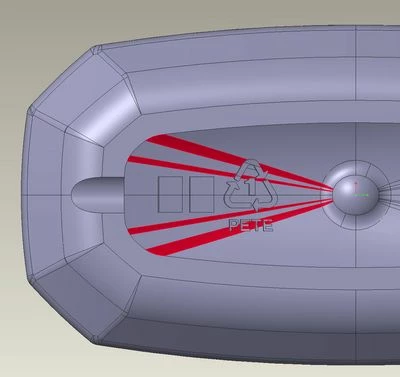
I have next to no surfacing experience.  I have a solid part that has a concave curved indent, made up of individual "surfaces" I guess you would call them.  Protruding from that set of surfaces is a recycle symbol that I need to edit, or, remove & replace.  My initial intent was to remove it, then extrude a different one, both using the "up to" reference and the quilt being that ref.  I selected the surrounding surfaces, then Copy & Pasted.  That gave me the quilt fine, but I think there are "holes" in it where the recycle symbol is.  I can't extrude to it from the front or back, it just fails.  Help me out...?  Something to fill the holes, or a different approach entirely?  I am at my wits end.
Best answer by tbraxton

Two major issues I see with the model you posted.


As an observation the rounds in the source data that was imported are not good geometry, most likely as a result of the way they were built originally. This is a common issue with imported model geometry.


1) The model is using relative accuracy and was not set to match the resolution of the source of the input data. You should always be using absolute accuracy in all of your design models.

2) The model has problematic rounds in the import data. The Creo geometry kernel deals with rounds differently than other CAD sw so no surprise they are causing problems even with flexible modeling.


If you can get the source of the import data, then you should match the model resolution (accuracy) to the source data when you import it. That may resolve some issues with the rounds but probably not based on what I see.

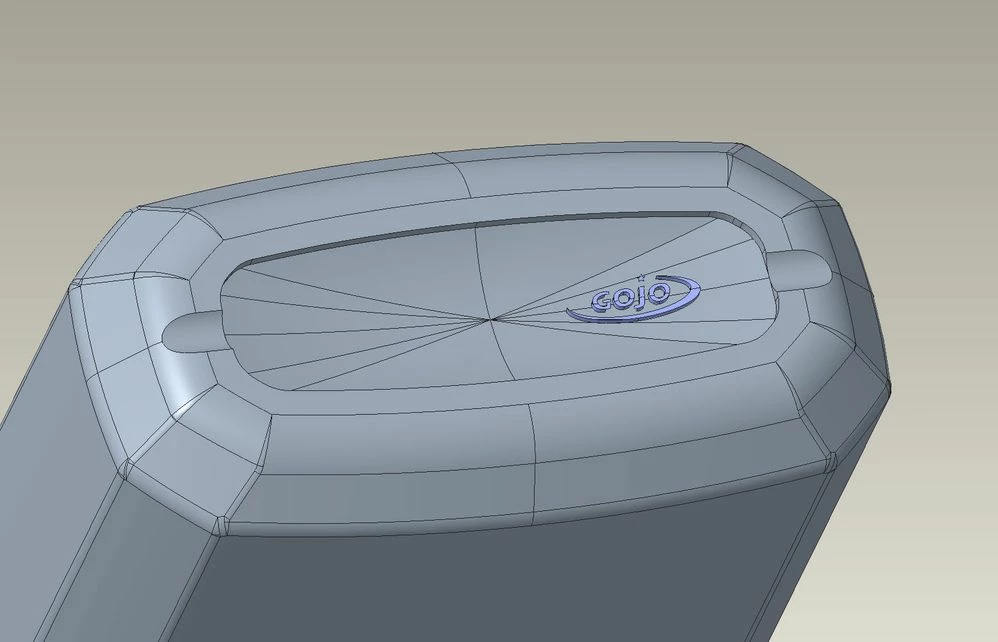
Problem rounds in import modelProblem rounds in import model


I assume this is what you are looking to get as a result in the Creo model. I was able to get this by using the import data doctor function on the import feature to remove problematic geometry (mostly rounds). You will need to add your logo, build the gate well for the parison (I assume this is blow molded) and add the rounds to the bottom surface that were removed using the IDD tools.


Bottom surface minus recycle symbolBottom surface minus recycle symbol

1 reply

22-Sapphire II
March 9, 2026

When you copy/paste the surface use the untrim to domain option as shown below. This should resolve the issue with the "holes".


cp domain.jpg

pb_max10-MarbleAuthor
10-Marble
March 9, 2026

I tried that, but it results in 33 quilts which then won't merge.  😞 Some are intersecting, some are not touching, etc.  Also a little peaved that I cannot show the quilt(s) by themselves to work on...the model will not hide, and the Show Only does nothing.  I messed around a little, but seriously, I've been at this for a while.  If there's something else you can think of, let me know.  Or, anyone else chime in?  Thanks.

22-Sapphire II
March 9, 2026

Post the source data (STEP file?) used for the import feature in the model shown in your original post. Without that we are guessing at what you are working with.


Flexible modeling has the capability to remove the recycle symbol geometry without the creation of additional features. This may also clean up the underlying quilt of the imported geometry.