
13-Aquamarine
April 2, 2025
Solved

Hiding sketches in all Drawing Views, except for one

  • April 2, 2025
  • 2 replies
  • 1680 views

Hi all,


I think I discovered a bug in Creo. I am trying to follow this tutorial.  Hide the sketch from one drawing view and keep it visible in another drawing view in creo parametric


However, this method only works when I hide the sketch in the Model. If it is showing in the model, then the exported PDF shows the lines as well. Also I have tried matching drawing properties as in the video.
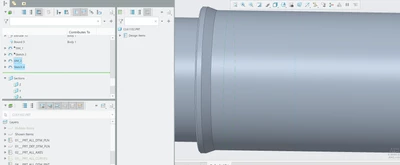
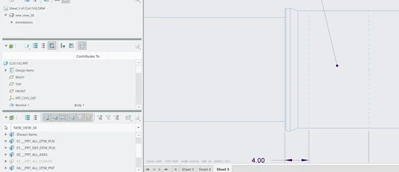
 

JiffiPop_0-1743604176567.png

JiffiPop_1-1743604280956.png

See in above image, 'PRT_ALL_CURVES' is hidden, but it still shows. for some reason it doesn't matter if it's showing or hidden on the drawing, the model overrides what the drawing exports. If I export the drawing with the model hiding the sketch, then there is no issues (except that the drawing still shows the sketch, it just hides it after exporting which is also extremely confusing/frustrating).


Thank you,

Jeff Houston

Best answer by kdirth

The easiest way may be to create a new layer in the model for those sketches that need to be independently controlled in the drawing.

2 replies

kdirth
21-Topaz I
21-Topaz I
April 2, 2025

Can you share the drawing and model?  If you are using an educational version most of us will not be able to open it.


My first thought is that your sketches are in the Shown Items layer, which overrides other layers.

There is always more to learn.
JiffiPop13-AquamarineAuthor
13-Aquamarine
April 2, 2025

That's a good suggestion. it looks like the sketches are shown in the 'Shown Items' when shown in the model. The problem is if I try to hide them on the drawing, I have to hide them in the model too, which I don't want. I want to keep them visible in the model.


JiffiPop_0-1743606201294.png


Sharing proprietary information is not allowed, unfortunately, so I cannot upload drawing/part file.

kdirth
21-Topaz I
kdirth21-Topaz IAnswer
21-Topaz I
April 2, 2025

The easiest way may be to create a new layer in the model for those sketches that need to be independently controlled in the drawing.

There is always more to learn.
23-Emerald III
April 2, 2025

There are a couple of settings that may be causing issues for you. If your model is controlling your drawing layers, I don't think you can get where you want to be. I prefer to control my layers "separately" in models and drawings.

Another problem is if you have set layer status in every view on your drawing but you are wanting to control all the views, you end up having to make the layer changes in every view, every time. Best option is to set the overall drawing layer control and then only individually control one or 2 views individually. In my color scheme, if I am controlling the view with overall drawing layers, the view borders are blue (when clicking the arrow in the layer tree. If a view is individually controlled, it's border will display as green. 

You can change a view back to drawing layer control (blue border) by selecting the view and then going to drawing dependent option and confirming you want it to be dependent on overall drawing layer control.


StephenW_0-1743608064849.png


StephenW_1-1743608071937.png

StephenW_2-1743608461112.png

StephenW_3-1743608471446.png


StephenW_4-1743608481127.png


StephenW_5-1743608886443.png