14-Alexandrite
January 12, 2017
Question

How can I search and select all empty layers in a model?

  • January 12, 2017
  • 2 replies
  • 1460 views

Hi,


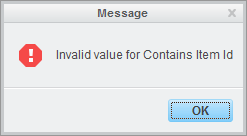
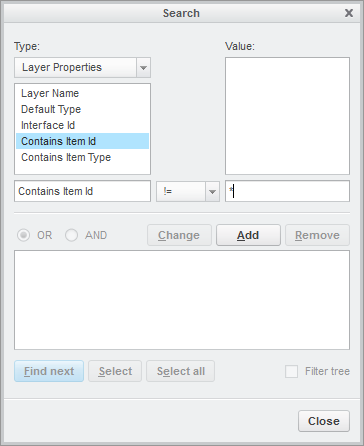
I would like to perform the following search: Type: Layer Properties (Contains Item id) != * (image 1), but I get this error: "Invalid value for Contains Item Id".

If I try this search: Type Layer Properties (Contains Item Type) != * then I get no error, but also no results.

Bonus points for a way to search only empty drawing layers (Type: Layer Owner (Layer Model) = *.drw).


Any ideas?


Regards,

Hugo
LayerSearch.pngLayerSearchError.png

2 replies

24-Ruby III
January 13, 2017

Hi,

I do not know if it is possible to find empty layers using Search tool.

What you can do ...

  • show Layer tree
  • select root of layer tree, this means Layers node, press RMB and run Layer Info command ... it creates file layer_partname.inf file
  • in inf-file you can recognize empty layer ... its section does not contain LAYER CONTAINS: string
  • you can create script which executes empty layer recognition for you

MH

Hugo-KTM14-AlexandriteAuthor
14-Alexandrite
April 20, 2017

I was not able to select all empty layers, but I can select all layers containing an item:

Contains Item ID > 0

then I can select all those layers and copy them:

~ Command `ProCmdEditCopyLayer`;

then I can delete all layers, paste the copied layers and then re-apply the rules (from a default layer model) for the pasted layers.

See also: Filter Out "Empty" Layers