

How do I make a curved Round?
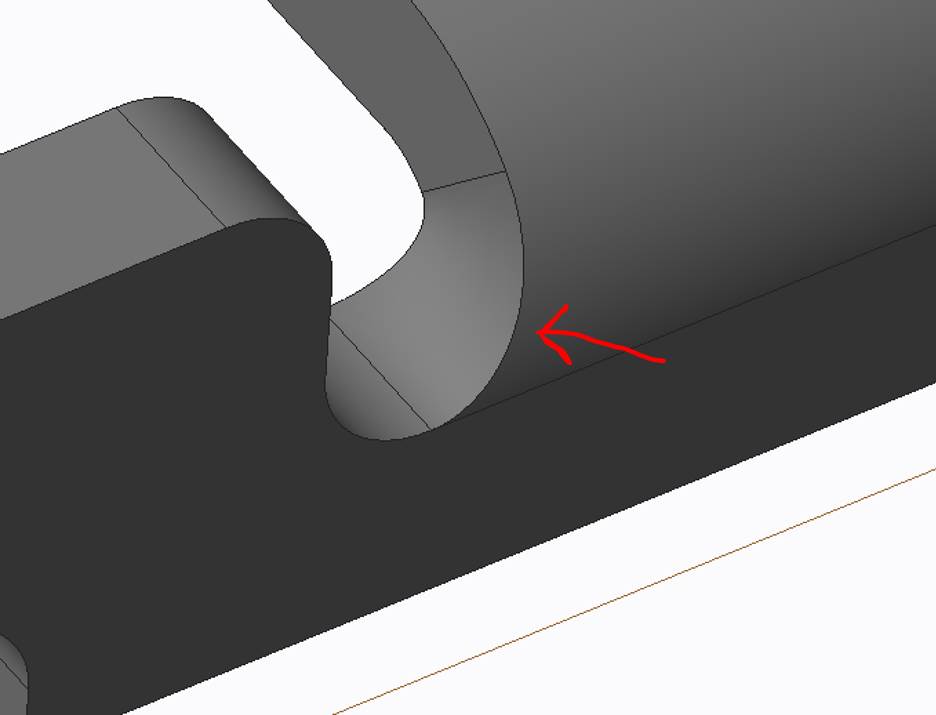
I received an STP model of a part. The part is a sheet metal part. I had made some modifications to the part where I cut out a section that comes off a bend, makes a 90° turn and blends into a flat. Essentially, the part in flat had a Round and then the area of the round was bent 90°, causing the Round to stretch. I would like to recreate this stretched Round in the corner that I made.
The original bend was similar to the following:
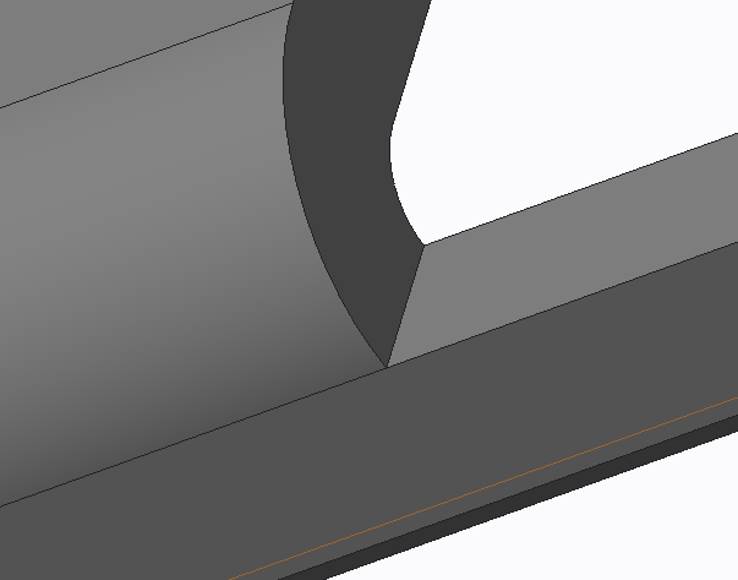
After I modified the part I was left with a corner:
When I try to insert a Round, I only get the following:
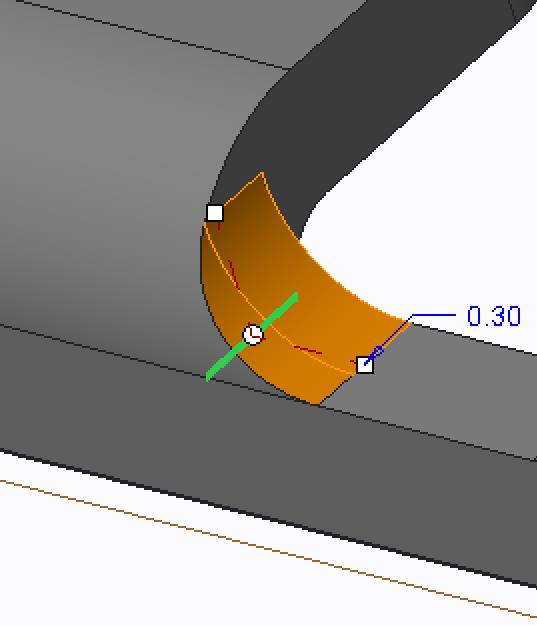
I couldn’t figure out a way to make the Round follow the bend.
As a temporary fix, I made the corner in PTC Sheetmetal:
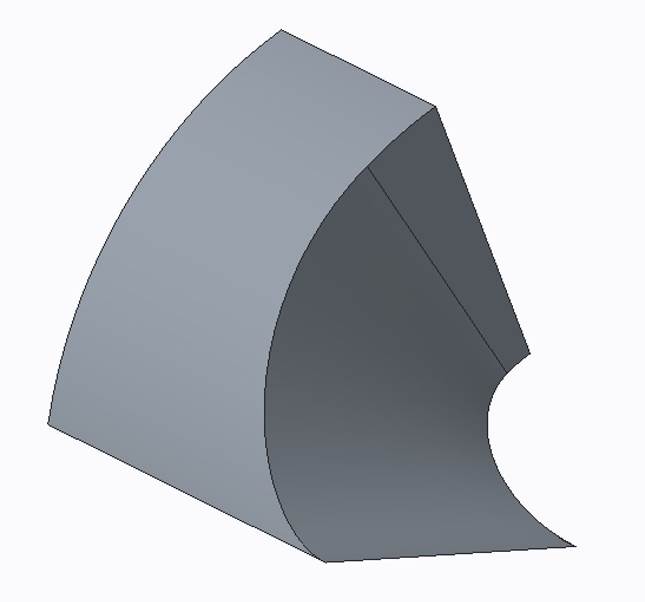
And I then merged it into the part as an assembly:
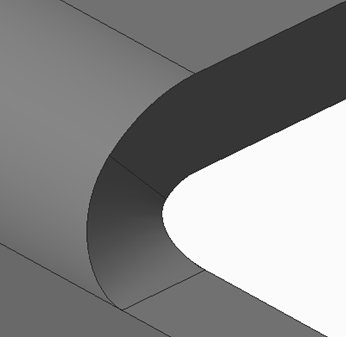
But now I must have this corner bend follow the part. If the two get separated, the part model fails.
I would like to be able to create the curved Round in the model instead of merging in another part.
If anyone has an idea on how to make this feature, other than merging another part, I would greatly appreciate your insight.
This thread is inactive and closed by the PTC Community Management Team. If you would like to provide a reply and re-open this thread, please notify the moderator and reference the thread. You may also use "Start a topic" button to ask a new question. Please be sure to include what version of the PTC product you are using so another community member knowledgeable about your version may be able to assist.