1-Visitor
May 13, 2014
Solved

How to add a model datum to a dimension

  • May 13, 2014
  • 2 replies
  • 22379 views

I want to add a datum B to the .813 diameter dimension to start my hole sequence. How can I add this datum?
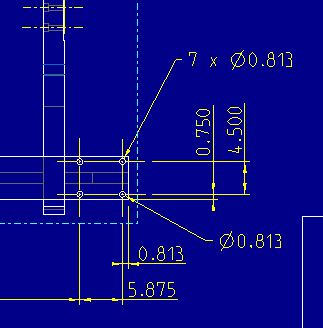
Model_Datum_B_in_drawing.JPG

I was able to add datum A to the surface shown below without any issues.
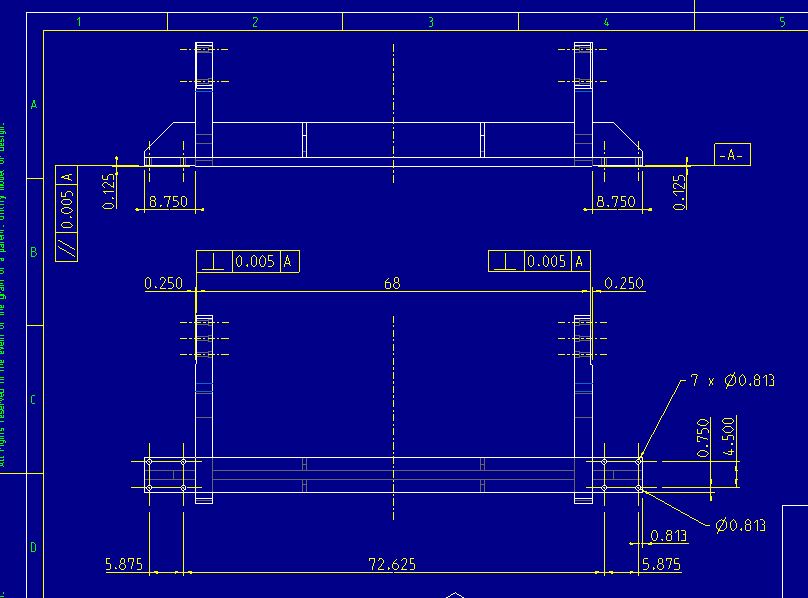
Model_datum_A_in_drawing.JPG

Best answer by StephenW

The dimension you are picking has to be in the model your axis is in. Also, it can't be a created dimension, it has to be a shown dimension.

Your screenshot looks like an assembly. If the hole is in the part (not assembly) and you are adding GD&T to the assembly, it won't work.

Is the holes assembly features or are they in the part?

2 replies

23-Emerald III
May 13, 2014

1.Right click on the axis for that hole you want to specify as "b".

2. select properties

3. select the datum symbol

4. select "in dim"

5. pick the dim you want "b" to show up under.

1-Visitor
May 14, 2014

Stephen,

Thank you for the response, everything worked except when I tried to pick the dim I wanted "b" to show up under I keep getting the error "Selected part in not active. Select again". How can I select the dimension I want to use?

StephenW23-Emerald IIIAnswer
23-Emerald III
May 14, 2014

The dimension you are picking has to be in the model your axis is in. Also, it can't be a created dimension, it has to be a shown dimension.

Your screenshot looks like an assembly. If the hole is in the part (not assembly) and you are adding GD&T to the assembly, it won't work.

Is the holes assembly features or are they in the part?

23-Emerald III
May 14, 2014

And is that old school pro/e blue background? Man, you're going back to the golden ages!!!!

1-Visitor
May 14, 2014

Stephen,

Thanks for the last response, the dimension was a created one and not a shown one so that fixed it. My IT department defaulted the blue background for us, so I just kept with it!! I've only been a Creo/Pro E user for a little over a year now, but I'm getting there. Thanks again for the help!

1-Visitor
May 14, 2014

Stephen,

One last thing, when I select the model driven annotation to use on the drawing, creo places this on a different hole than what it is on the model. Is there any way to change this location? On the four hole bolt pattern, I want the dimension on the lower right hole and not the upper left.Model_datum_B_in_drawing_2.JPG

