
5-Regular Member
May 28, 2026
Solved

How to add units and change decimal in drawing

  • May 28, 2026
  • 4 replies
  • 134 views

Hey,

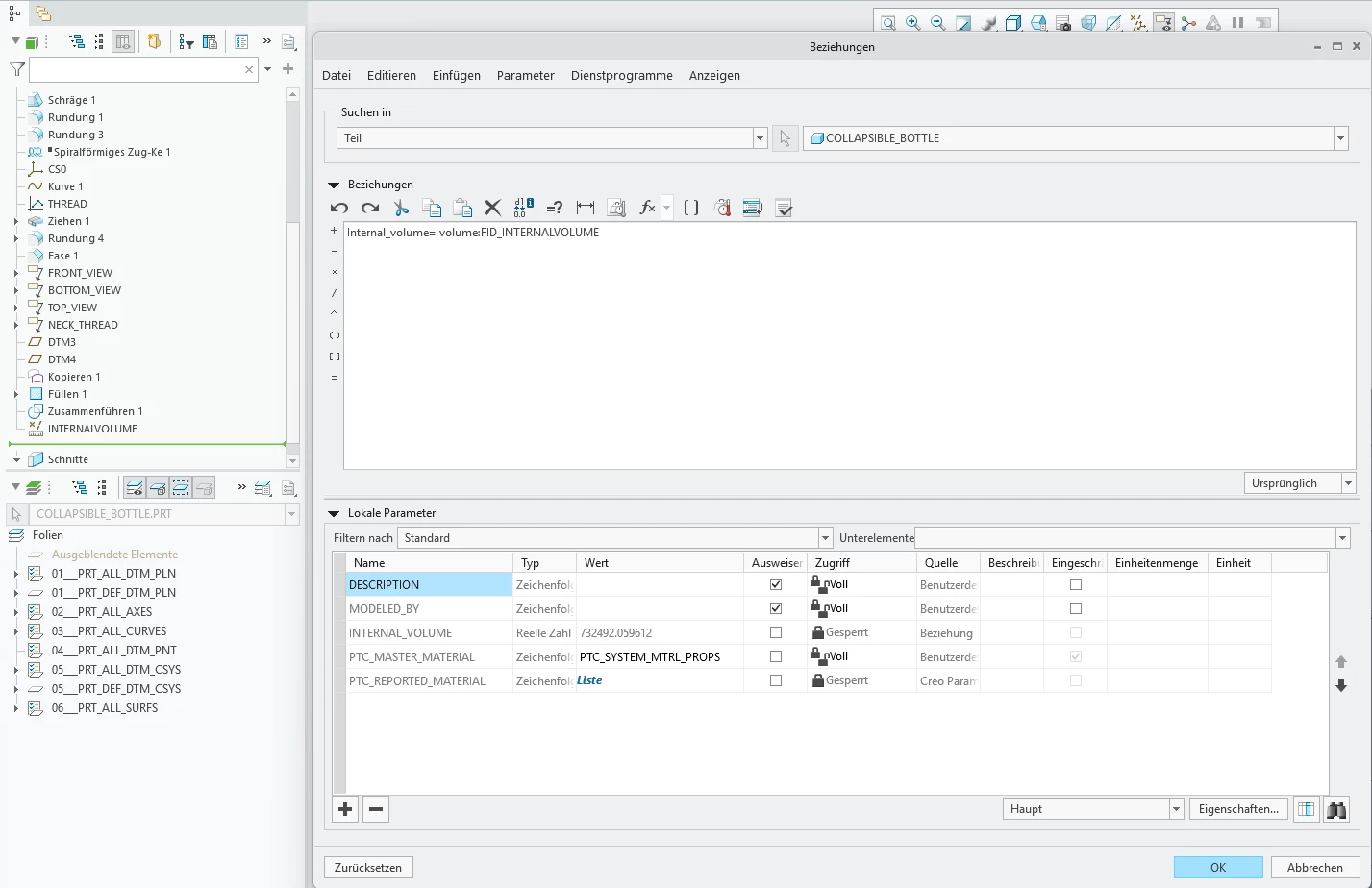
  1. I saved a volume measurement (shown in model tree) and then I created a paramter using a relation. I want to add a unit to the parameter but it is locked. So how do I add the units to locked parameters?
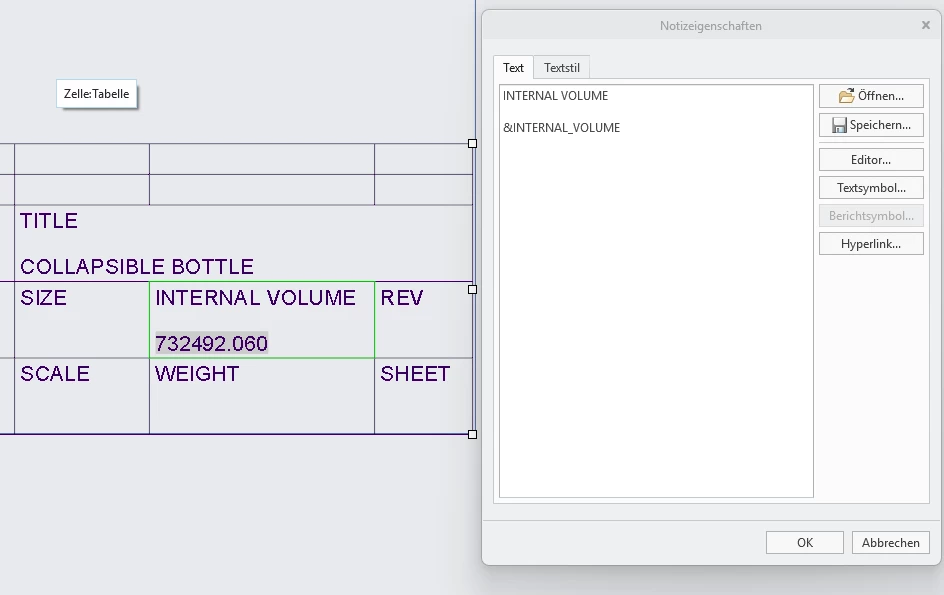
  1. How do I change the decimal value in this drawing title block. I want to show 0.73mm^3 or maybe 0.7mm^3


Best answer by KenFarley

If you’ve used a relation to assign a value to a parameter, as you’ve observed, it locks the parameter. You can’t change the units of locked parameters. What you can do is comment out the relations you used to set the parameter in question, regenerate, and that should unlock the parameter. You should then be able to set the units for that parameter. Once you’ve set things, uncomment the relations and everything should be okay.

4 replies

KenFarley
KenFarley21-Topaz IIAnswer
21-Topaz II
May 28, 2026

If you’ve used a relation to assign a value to a parameter, as you’ve observed, it locks the parameter. You can’t change the units of locked parameters. What you can do is comment out the relations you used to set the parameter in question, regenerate, and that should unlock the parameter. You should then be able to set the units for that parameter. Once you’ve set things, uncomment the relations and everything should be okay.

StephenW
23-Emerald III
May 28, 2026

For question 2: add [.1] to the end. The number controls the decimal places in the note


KenFarley
21-Topaz II
May 28, 2026

Oh, yeah, also if you want to show mm³ and not mm^3 or something like that, I open up a Word document, insert the ³ character, then copy and paste that into my table, text string, etc. It looks much nicer.

5-Regular Member
May 28, 2026

Thank you,
I tried out all of the answers. It worked

5-Regular Member
May 29, 2026

Thank you,
I tried out all of the 3 answers. It worked