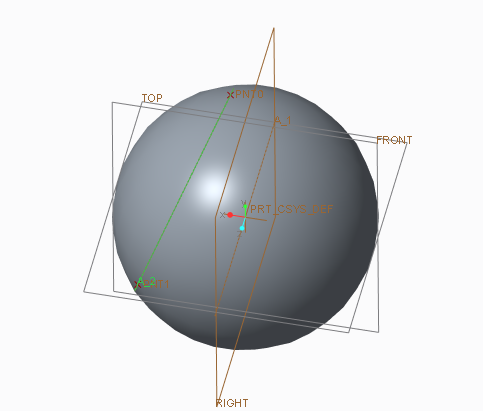
I have a sphere and an axis passing through that sphere. I want to create a datum plane such that it is normal to this axis and tangent to the sphere. Creo 3.0 won't allow me to select the axis and the surface at the same time. Am I missing something?
The axis doesn't pass through the centre of the sphere. tangent and normal to axis can only be selected if the axis passed through the centre of the sphere.
I think one of the troubles is that there are actually two solutions for the mathematical problem. The resultant plane may lie on either "side" of the sphere. Also, I've found the tangency constraint for these types of situations to be really flaky. The type of thing where it shows me the "correct" (expected) solution, but once I accept, the plane is on the other side of my geometry, etc. You might be forced to create a point at the desired side of the sphere and use that and the axis to define the plane.
I know this isn't the "Magical" answer your looking for, but I don't know how your gonna get where you want to go without additional construction geometry.
In this case, I would Sketch a curve... Normal to A_8 and Tangent to your dome...
Then create your plane Through the sketch curve, and Normal to A_8.