1-Visitor
September 10, 2013
Solved
How to create a silhouette curve in an UDF?
- September 10, 2013
- 9 replies
- 4186 views
Hallo everybody! Hope you can help me!
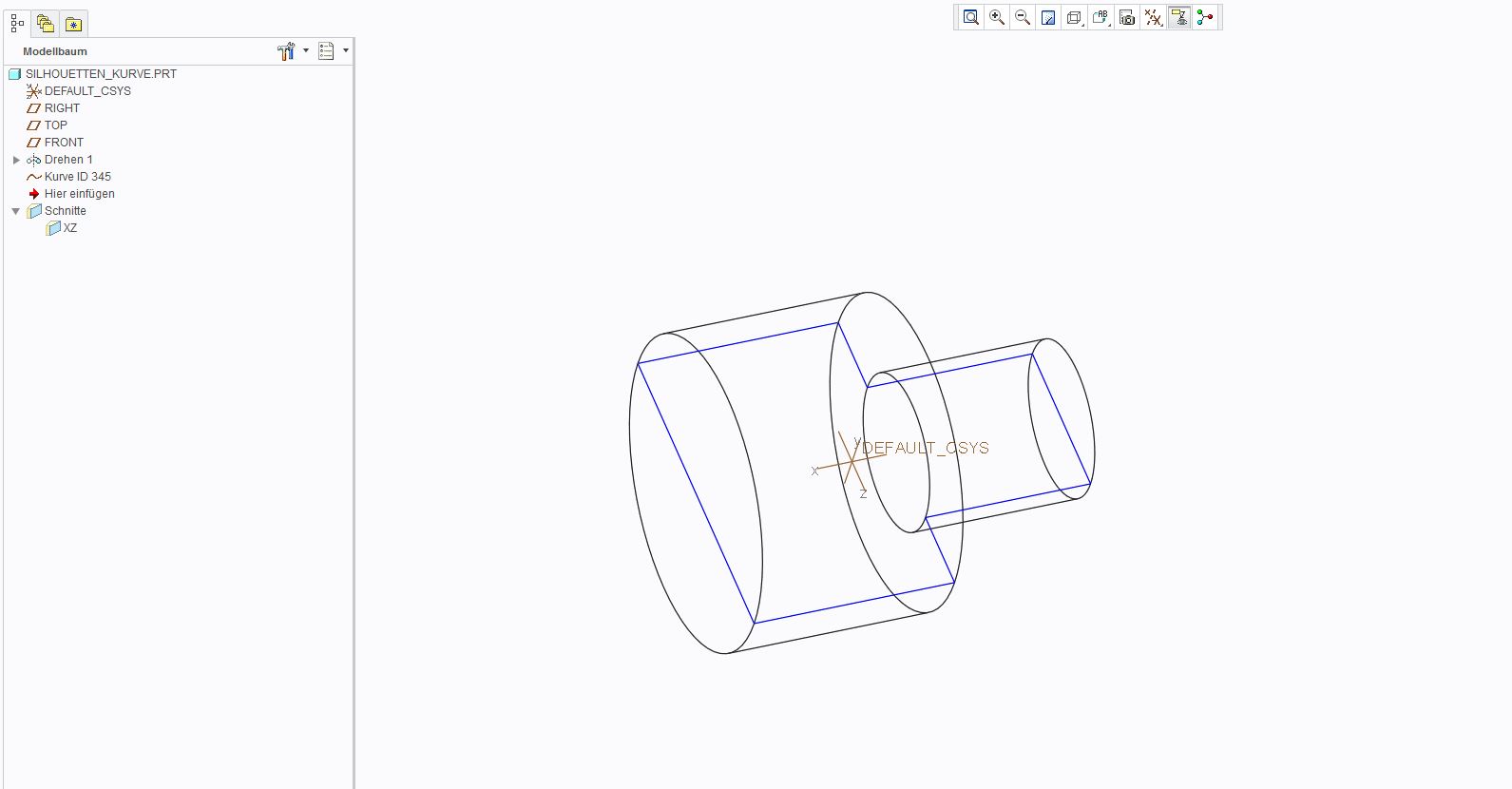
The problem is quite simple. I want to create a simple (like in the picture 1 or even better like ion picture 2 ) curve on a part without using the sketcher. The goal is to create an UDF in which only some references are needed to create the curve automatically. Those references shouldn't be single surfaces or e.g. roundings of the part but axis, planes and the surface of the whole part. Just like: Chosse Front, Chosse End, Chose Plane (and/or sth. else) -> Automtic Silhouette Curve
Is there a way to solve this problem like I want it?
Glad for your help!
Christopher
This thread is inactive and closed by the PTC Community Management Team. If you would like to provide a reply and re-open this thread, please notify the moderator and reference the thread. You may also use "Start a topic" button to ask a new question. Please be sure to include what version of the PTC product you are using so another community member knowledgeable about your version may be able to assist.