

Question
How to group two halves of a circle in order to create a curve on its surface
I am new to PTC Creo software, and while trying to create a style curve directly on the surface of a sphere, I found that I couldn't, because only one half of the sphere can be highlighted and therefore referenced at a time. This means I cannot continue the curve on the other side of the sphere.
Is there a way I could either group the two halves together, or make the curve on both halves?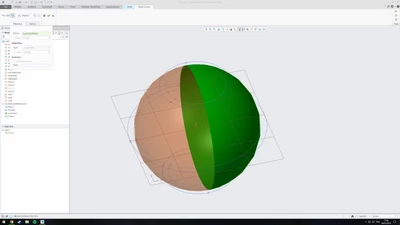 The sphere halves, which means I cannot continue the curveThanks,
Dylan