
12-Amethyst
May 9, 2025
Question

how to hide all coordinate systems in an assembly
  • May 9, 2025
  • 2 replies
  • 1206 views

MichaelPiotto_0-1746749445910.png

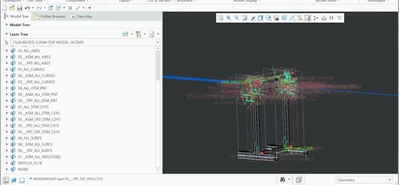
I swear this was working before, but there is no way to turn off all the coordinate systems of each part? going into each file is not really an option, there are 100+ models in my assembly and sub-assemblies.  

2 replies

24-Ruby III
May 9, 2025

Hi,

what does happen when you hide following layers?

MartinHanak_0-1746768825274.png


12-Amethyst
May 9, 2025

MichaelPiotto_0-1746769614713.png


Creo for me has been reaaaaly glitchy lately. As far as I know I think the layer tree is organized by order not type of feature, so the CSYS's still visible are in the subassemblies(you know more than me), here is the layer tree of one of the subassy: 

MichaelPiotto_1-1746769953629.png

most of the parts are imported step files so maybe that is the problem? but each part exists and has a separate file so I don't know.  

24-Ruby III
May 9, 2025

Hi,

you have to accept that each model must meet the specified rules. This means that layers in every model must be properly defined.


Open part containing imported step geometry and check its layers. Are they properly defined? If they aren't then you need to fix it.


Q: How do you create part containing imported step geometry?

23-Emerald III
May 9, 2025

If your parts/subassemblies aren't done using a start part/assy that is consistent with layers standard, you won't be able to do it with layers unless you fix all the parts/assy's. When you import files, you can set up creo to use a start part/template.

Your other option is to just turn off the coordinate systems in the environment.

StephenW_0-1746784994365.png