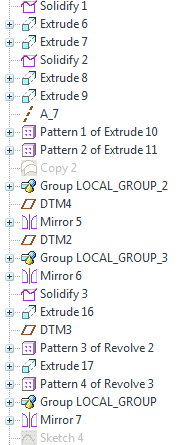
If by "lock" you mean to prevent modifications then absolutely. Under the model tab-->operations-->read only. You can then select the features you want to become read only. You can also select all features or features above and including the one you select. If somebody attempts to modify the feature, the options to redefine, edit, etc. will not be listed for the features that are read only and an error message will be shown in the log. You can also clean the file of all read only attributes through the same dialog.
It might be of interest to group the features you are locking into a group named "read_only" or something to notify future users of the lock that exists or they may have a little fun trying to figure out what is going on and why they can't make any modifications.
You're welcome. I think this has existed for quite some time possibly before I started using Pro/E. I started learning Pro/E at version 2000i2 and started heavily using it with 2001. If I recall correctly, I used read only back on 2001. Perhaps some of the "old timers" can chime in here and let us know when it was implemented .
From what I've seen you make ALL features up to and including the one you pick as "read only". I haven't seen a way to just make a single feature in the middle of your model tree read only. Read only can also cause issues with family tables. What you CAN do, for a single feature, is use relations to lock the dimensional values, essentially making only that (or whichever you choose) feature(s) read only. That's really the only way I've found to do what it seems you want to.
I do that quite often, sometimes to mimic dimensions from vendor parts in an assembly, etc. It would be nice if you could make individual features read only without doing it to all the features before it, but so far no go.....