
1-Visitor
March 18, 2014
Solved

How to merge surfaces together to allow correct placement of a decal in Creo 2 Para

  • March 18, 2014
  • 2 replies
  • 5825 views

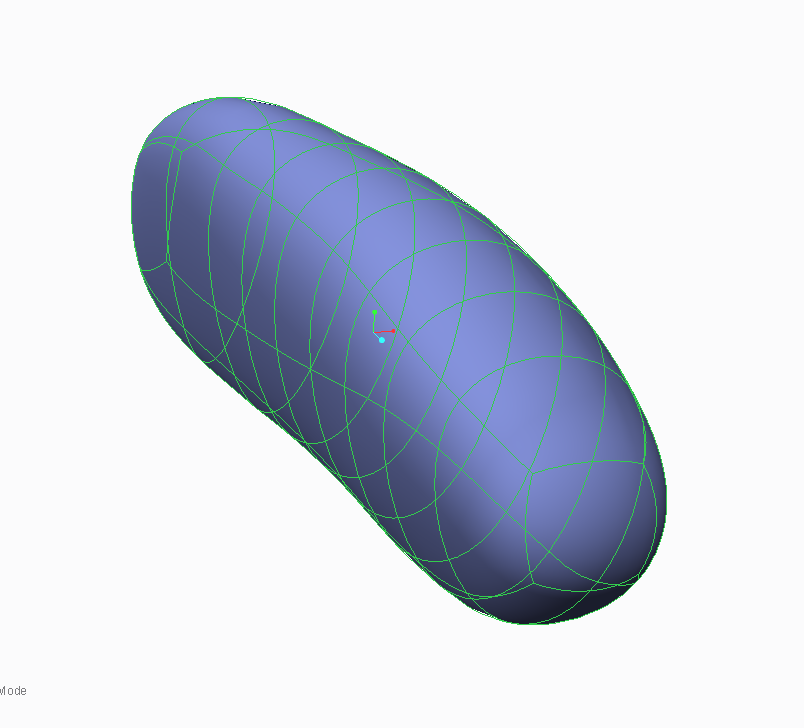
I have just been sent a simple geometry that as been made with Freestyle in Creo 2 Parametric.
PTC1.png

I would like to know if it is possible to merge the individual quilt surfaces together, so that a single decal can be applied to the entire model. This is the decal I would like to apply;

PTC+BADGE.JPG

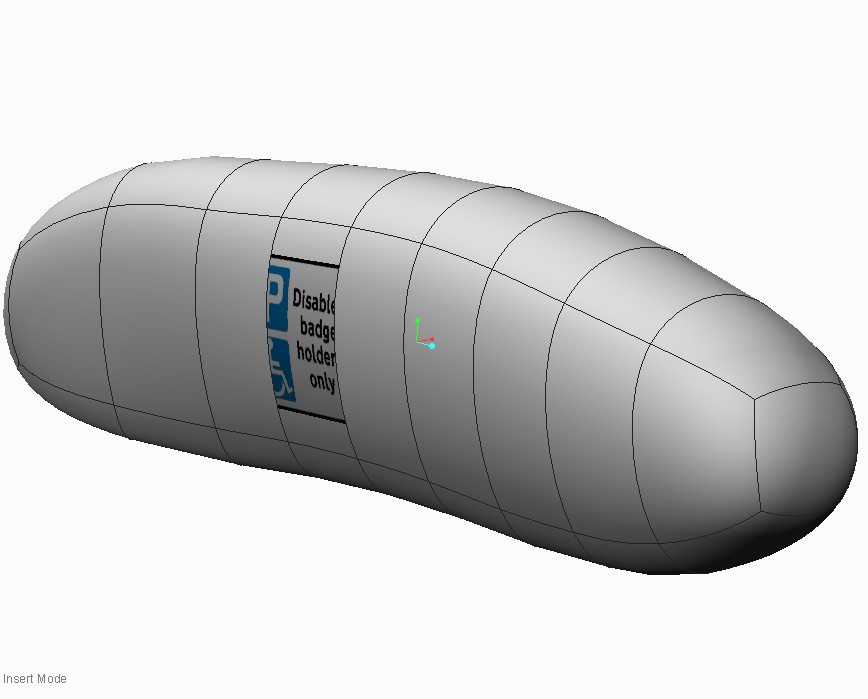
At the moment, I solidifiy the Freesytle, but as I can not merge the surfaces together, I end up with this
PTC2.png

As you can see, the decal is only applied to one of the quilt surfaces, and I require it to be displayed on the entire model.

This is my first post on here, so I hope that this is sufficient information, however please accept my apologies if it is not.

Kind regards,

Ben


This thread is inactive and closed by the PTC Community Management Team. If you would like to provide a reply and re-open this thread, please notify the moderator and reference the thread. You may also use "Start a topic" button to ask a new question. Please be sure to include what version of the PTC product you are using so another community member knowledgeable about your version may be able to assist.
Best answer by bhogan

Hello everyone,

I have had a play and I believe I may have solved it, with advice from Doug Schaefer.

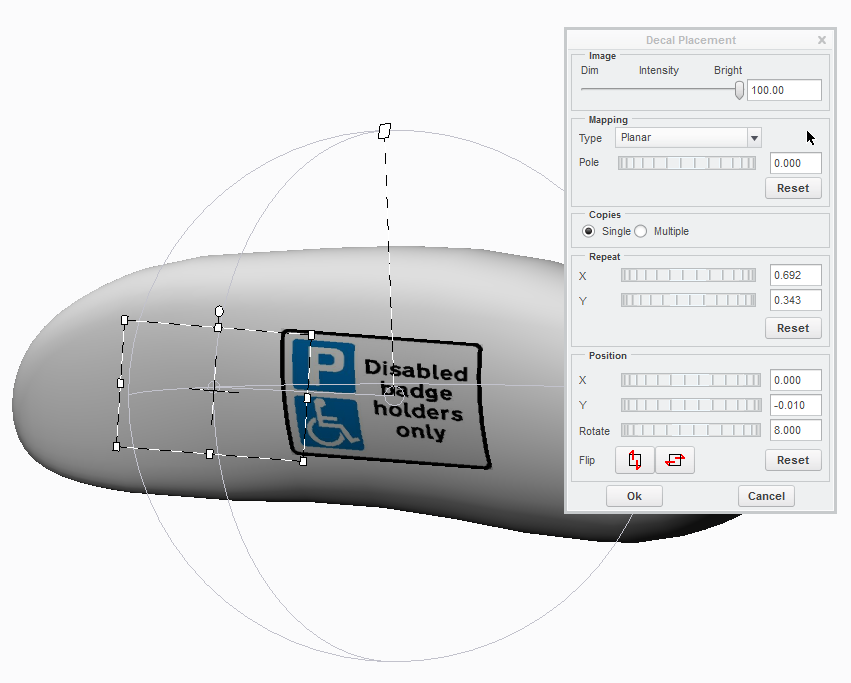
If you apply the decal using 'Planar' mapping type, seems to apply the decal to the selected surfaces.

PTC5.png

Thank you to everyone for the help!

Many thanks,

Ben

2 replies

1-Visitor
March 18, 2014

Hi Ben,

welcome to the forum. I am not sure how you are applying this decal to the surface, but are you picking multiple surfaces by holding down the control key as you select you surfaces? Or, right clicking over the surfaces, to query select through to intent surfaces?

John

bhogan1-VisitorAuthor
1-Visitor
March 18, 2014

John,

Thanks for your reply.

I am aware of the technique you describe, however I beleive this does not help, I can multi select the surfaces to apply the decal to,...

ptc3.png

but as they are separate surfaces, this is the result;

ptc4.png

As you can see, this is not what I am after. I require one, single decal, on the entire model.

Many thanks for your help.

Ben

1-Visitor
March 18, 2014

Have you tried copying the required surface set, & applying the decal to that?

John

bhogan1-VisitorAuthorAnswer
1-Visitor
March 18, 2014

Hello everyone,

I have had a play and I believe I may have solved it, with advice from Doug Schaefer.

If you apply the decal using 'Planar' mapping type, seems to apply the decal to the selected surfaces.

PTC5.png

Thank you to everyone for the help!

Many thanks,

Ben