
14-Alexandrite
February 6, 2026
Question

How to pick variable NOTES: while uploading Format to a drawing

  • February 6, 2026
  • 3 replies
  • 218 views

We have three variations of Notes: 

1.Generic

2.Harness

3.Fabrication and Assembly

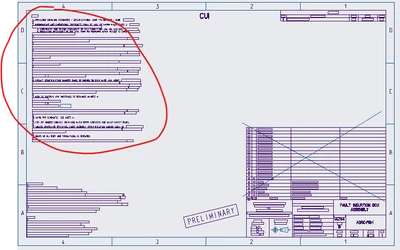
How to let system give me option to use what I want on drawing in NOTES: ?

SEE IMAGE
YogeshT_0-1770388943690.png


3 replies

Catalina
Community Moderator
February 13, 2026

Hi @Yogesh.T 

Thank you for your question. 

Your post appears well documented but has not yet received any response. I am replying to raise awareness. Hopefully, another community member will be able to help.

Also, feel free to add any additional information you think might be relevant. 


Best regards,

Catalina | PTC Community Moderator
21-Topaz I
February 13, 2026

We do this with a mapkey that calls different notes, not with the format. There is an import text from file option that can be used with a mapkey.

Yogesh.T14-AlexandriteAuthor
14-Alexandrite
February 16, 2026

Can you make a test case example? It might be golden for others to use and PTC to learn and grow. Thanks!

Someone gave me idea of using SYMBOL with variables. I am going to try that soon and post the outcome.

21-Topaz I
February 18, 2026

An example really depends on what you want to do. Ours is quite complicated because it detects the drawing size and then launches an external app that allows users to pick notes before importing them on the drawing. The foundation for this is explained here:

https://community.ptc.com/sejnu66972/attachments/sejnu66972/customization/13797/1/VG-4052%20Dynamic%20Mapkeys%20to%20Automate%20Creo%202024-01-23.pdf 

If you just want to import a text file then all you need to do is turn on mapkey recording while performing the clicks and then the mapkey will automate those same clicks the next time you run it. 


In the drawing, on the annotation tab -> annotation group -> Note drop down -> Unattached note -> Absolute CSYS -> in the format tab -> Note from File

Community Manager
February 20, 2026

Hello @Yogesh.T,


It looks like you have a response from some community members. If any of these replies helped you solve your question please mark the reply as the Accepted Solution. 
Of course, if you have more to share on your issue, please let the Community know so other community members can continue to help you.

Thanks,
Vivek N.
Community Moderation Team.
