
1-Visitor
June 18, 2014
Question

How to redisplay "See Detail XX" on the source view of a drawing once it has been deleted

  • June 18, 2014
  • 5 replies
  • 3526 views

I am running Creo 2.0 M100. I have inadvertently deleted the "See Detail XX" callout for a detail view on the source view. I am left with a drawing view that only has the spline around the area displayed in the detail view. How do I redisplay this callout? I do not want to recreate the detail view.
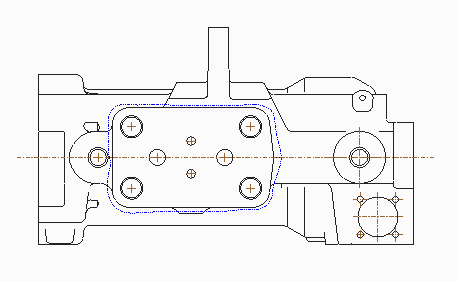
 

Capture.PNG


This thread is inactive and closed by the PTC Community Management Team. If you would like to provide a reply and re-open this thread, please notify the moderator and reference the thread. You may also use "Start a topic" button to ask a new question. Please be sure to include what version of the PTC product you are using so another community member knowledgeable about your version may be able to assist.

5 replies

14-Alexandrite
June 18, 2014

If you erased it. If you deleted it, prettysure it's gone forever.

note-unerase.JPG

17-Peridot
June 18, 2014

This is something that really got messed up with the Creo implementation.

The only option you have is to redefine the view. At least, from my experience. I hope I'm wrong.

17-Peridot
June 18, 2014

Oh, and just in case you don't purge your files... and the error was recent...

you can always go back to a recent version if the added work was not too significant.

1-Visitor
June 18, 2014

It would be less painful if PTC allowed the border to be a polygon, not a spline of a thousand points.

12-Amethyst
August 4, 2016

Justin did you ever find an answer to getting this back. We just had this exact same problem today, and can't seem to get the note back in the parent view, as you described here.

Dennis

23-Emerald III
August 5, 2016

I just discovered this one in CREO 3 M070.

Right click on the view or on the name of the view in the drawing tree and select the ADD VIEW LABEL.