

How to: Show roughess symbol on resumed features (surfaces) automaticaly?
Hello Everybody!
First I'll show the problem I'm facing:
1). I have a simple part modeled in Creo 3.0 - M 130 - with two features. I have placed a roughness symbol on the second feature as shown below, and I have it on the drawing:
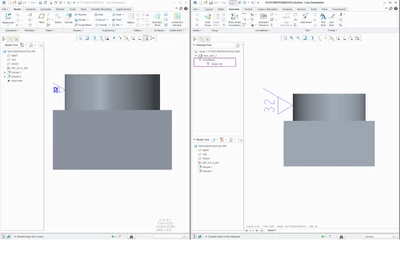
2). Then I suppress on the model the second feature. Of course, on the drawing second feature with roughness dissapears.
3). Next I resume (unsuppress) second feature and it shows itself on the drawing BUT without roughness symbol. See below.
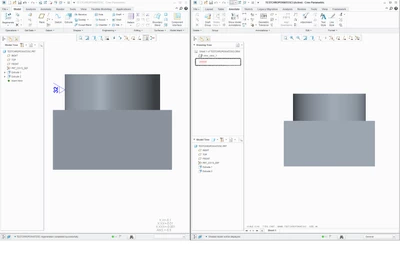
My question is: How can I make it AUTOMATICALY to show the roughness on the resumed (unsuppressed) feature on the drawing? I can not make it manually, since I'm making an automatical drawing tool, that suppouse to make it without user interaction.
I would like to mention also, that with the dimension there is no such issue. They shown without any problem.
Polish PTC support have no answer for this issue. So I'm looking for solution in more experience environment 😉
Thank you for any suggestions!
Rafał