
1-Visitor
February 19, 2016
Solved

How to take project of entire intersecting model edges in a sketch in Creo Parametric?

  • February 19, 2016
  • 3 replies
  • 3310 views

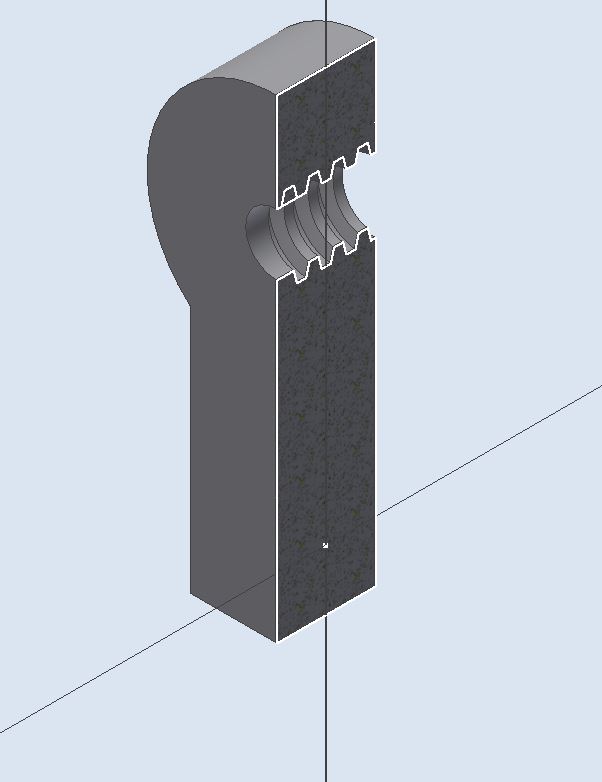
I want to know is there any command in Creo Parametric similar to Project Cut edges in Autodesk Inventor or Intersection Curve in SolidWorks. If not a specific command so how it can be done in creo. For an example see in the following image Project of intersecting threads displayed in white colour has been created with one command.
Capture-1.JPG


This thread is inactive and closed by the PTC Community Management Team. If you would like to provide a reply and re-open this thread, please notify the moderator and reference the thread. You may also use "Start a topic" button to ask a new question. Please be sure to include what version of the PTC product you are using so another community member knowledgeable about your version may be able to assist.
Best answer by CoreySusie

You can also use the intersect curve feature and for 1 reference use a datum plane and for another reference use "solid geom" (query select to grab this reference)

3 replies

1-Visitor
February 19, 2016

You can create a datum curve using a cross section.

If you have to have a sketch rather than just a curve, you can do whats described above then create a sketch and copy the datum curve.

datum_curve_xsection.jpg

1-Visitor
February 19, 2016

You can also use the intersect curve feature and for 1 reference use a datum plane and for another reference use "solid geom" (query select to grab this reference)

1-Visitor
February 19, 2016

Thanks a lot both the process are helpful. The second method is more easy.