
15-Moonstone
March 14, 2018
Question

Is there a way to remove selection filter popup window?

  • March 14, 2018
  • 5 replies
  • 2803 views

Since the release of Creo 4 there has been a window that pops up every time that you change your selection filter.


There is a check box that says "in the future do not show this message".  If you click this box you can indeed click on the selection filter without the pop up window; that is until you exit Creo and come back in.


This has become a growing annoyance as every day I have to click the same box that doesn't give me anything new.


Before I make an idea submission I am wondering whether there might be a way of removing the pop up permanently.


I do need to use selection filters because alternate selecting doesn't always give me what I need.
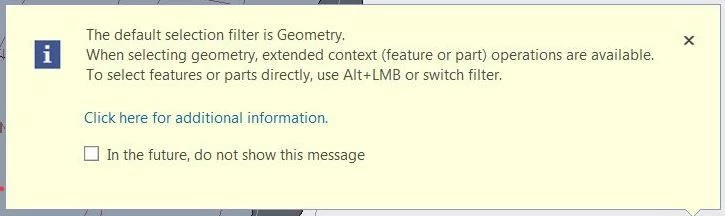
 

annoying popup.JPG


5 replies

21-Topaz II
March 14, 2018

I'm not sure where that setting is stored, but I'm guessing in the creo_parametric_customizaion.ui file. 

.

Do you have the config option "load_ui_customization_run_dir" set to yes and are you working outside of WIndchill and changing your working directory as soon as you start Creo?


That setting means that it stores that file in the current working directory, not the start_in directory.  So, if you are changing the working directory, you'll get creo_parametric_customizaion.ui files in each folder.  So, if that setting is stored in the creo_parametric_customizaion.ui, when you click the box Creo saves the creo_parametric_customizaion.ui in the current working directory.  Because that isn't the start_in directory, it doesn't get loaded on start up.


It's a wild guess based on a couple of assumptions, your mileage may vary.

pimm15-MoonstoneAuthor
15-Moonstone
March 14, 2018

Hi Doug,


Unfortunately it appears that the load_ui_customization_run_dir setting change didn't change the filter select behavior.  I will keep this setting though; I'm curious how it might effect some other things.

21-Topaz II
March 15, 2018

Rereading my reply, I'm not sure I was clear.  In an environment where you are changing your working directory every time you launch Creo (which is typical if you're not working in Windchill), you want this set to "no" (or simply not in your config file as no is the default) to prevent *.ui files from being saved in every working directory you use.