

1-Visitor
October 19, 2015
Solved

Is there a way to view a model in a section state without actually creating a section view?

  • October 19, 2015
  • 2 replies
  • 6162 views

I just want to inspect a model / assembly for clearance fits etc without going though creation of section views.  In Catia you can pick a surface or plane for a cut direction.  Then by grabbing the drag tool one can 'scan' back and forth or tilt the cut to see how models and assemblies are built and visualize fits.  With nothing esle in the way.

Does Creo have a similar tool?
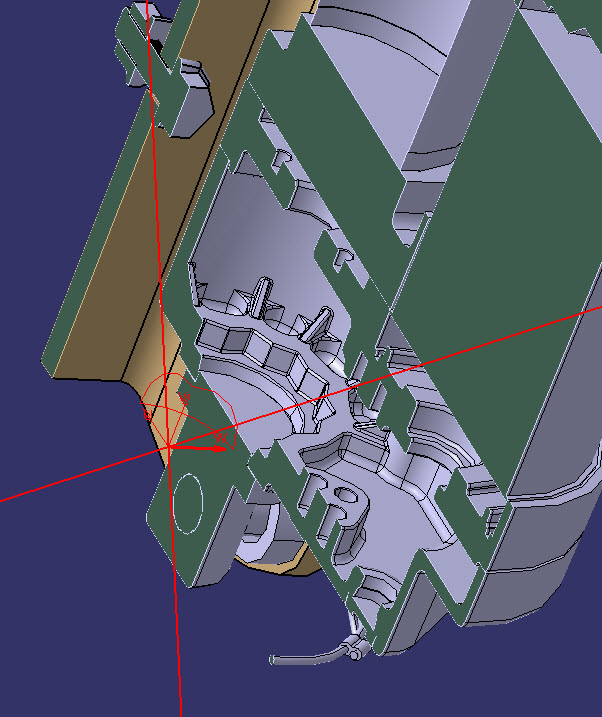
sectioning tool.jpg


This thread is inactive and closed by the PTC Community Management Team. If you would like to provide a reply and re-open this thread, please notify the moderator and reference the thread. You may also use "Start a topic" button to ask a new question. Please be sure to include what version of the PTC product you are using so another community member knowledgeable about your version may be able to assist.
Best answer by jbob

You need to select a surface or plane, select the section tool, you do not have to create one but you have to start one. Just be sure to select the enable free positioning ico so you can drag your section to where ever you like.

2 replies

jbob12-AmethystAnswer
12-Amethyst
October 19, 2015

You need to select a surface or plane, select the section tool, you do not have to create one but you have to start one. Just be sure to select the enable free positioning ico so you can drag your section to where ever you like.

14-Alexandrite
October 19, 2015

Hi Richard,

I think the best way to do any inspections is to use Creo View. Here are a couple of reasons:

  • It launches faster than Creo
  • You will not use a Creo license
  • It will never nag about checking out the model when all you want to do is to inspect
  • In Creo View you can do sections, measurements, show/hide, move parts etc. without doing any changes to the model