12-Amethyst
November 15, 2016
Solved

LISP for part rolling a angle by step

  • November 15, 2016
  • 13 replies
  • 6039 views

Hi~


I programed a LISP for a blank to roll one angle 0.9° step by step.( see the attachment LISP file)

Because position_pa command is a terminate action,so I use sd-call-cmds function in the LISP program.

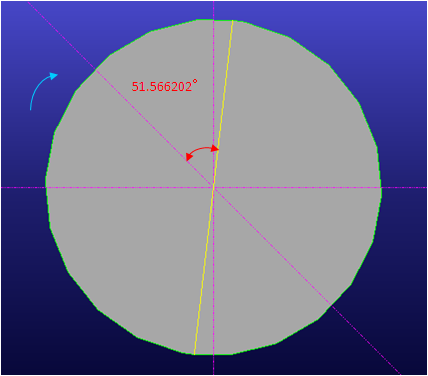
When I ran the program to roll the part 0.9°,actually rolled angle was 51.566202°.
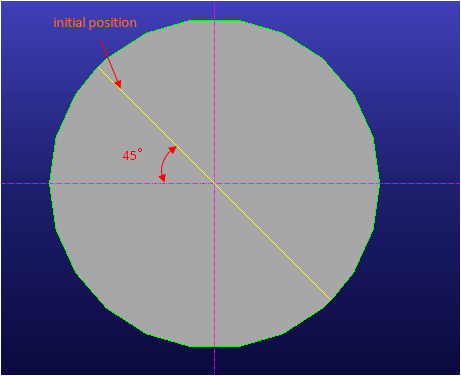
example-initial position.bmpexample-ran position.bmp

Does anybody could tell me why?

How can I  achieve my purpose to roll 0.9° step by step?


Thanks

Justin


This thread is inactive and closed by the PTC Community Management Team. If you would like to provide a reply and re-open this thread, please notify the moderator and reference the thread. You may also use "Start a topic" button to ask a new question. Please be sure to include what version of the PTC product you are using so another community member knowledgeable about your version may be able to assist.
Best answer by ThomasKirkman

Justin

I am not 100% sure of the answer, I can give a best guess.  The calculations are done in lisp which requires radians.  Modeling takes a degree input and converts it to radians for calculations.

13 replies

17-Peridot
November 15, 2016

Hello Justin,

I do not know much about Lisp programming,

but I see the cause in radiant.

1 rad = 180 ° / Pi = 57.295779513082320876798154814105°

° 0.9 = 51.566201561774088789118339332695° 

It revolves around 0.9 radiants and not around 0.9°

Best regards

Friedhelm

bjyuen12-AmethystAuthor
12-Amethyst
November 16, 2016

Friedhelm,


I know that 0.9rad equal 51.566202degree.

In the LISP using position_pa action have to set the angle in degree. So I set a variable angle_factor_deg.

22.bmp

Ran the LISP,you could see variable angle_factor_deg value was 0.9.

11.bmp


Justin

16-Pearl
November 16, 2016

A couple of tips  These will replace some of the work you did.

(sd-deg-to-rad angle)

(sd-rad-to-deg angle)

Lisp works in radians despite what units you have set.

So simply change the line from

:rotation_angle angle_factor_deg

to

:rotation_angle angle_factor_rad

regards

Tom